
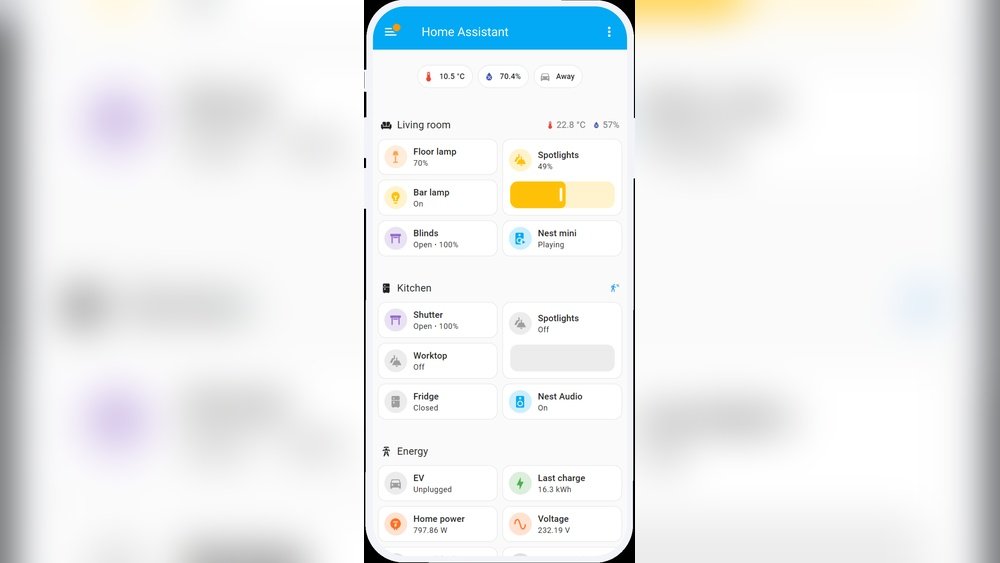
Are you curious about smart homes? Want to make your home smarter but feel lost? This guide is for you. It explains the Home Assistant smart home platform. You will learn what it is, how it works, and how to start using it. The language is simple. No hard words. Let’s begin.
What Is Home Assistant?
Home Assistant is a software program. It helps you control smart devices in your home. Think of it as a brain for all your smart gadgets. It connects devices like lights, sensors, and speakers. Then, it lets you control them from one place.
Instead of using many apps, you use Home Assistant. It works on a small computer or server in your home. It is open-source. That means anyone can use it for free and make it better.
Why Use Home Assistant?
- Control Many Devices: It supports many brands and devices.
- Privacy: It runs locally, so your data stays at home.
- Automation: You can make devices work together automatically.
- Customizable: Change settings to fit your needs.
- Free and Open: No cost to use it.
Home Assistant helps you manage your smart home easily. You do not need to pay for expensive systems. It is also safer because your information stays with you.

Credit: www.youtube.com
What Can Home Assistant Do?
Home Assistant can do many things in your smart home. Here are some examples:
| Feature | Description | Example |
|---|---|---|
| Device Control | Turn devices on or off, change settings. | Switch lights on from your phone. |
| Automation | Set rules for devices to act automatically. | Lights turn on when you enter a room. |
| Monitoring | Check sensors and devices status anytime. | See temperature inside your home. |
| Notifications | Get alerts for important events. | Receive message if door opens unexpectedly. |
| Integration | Connect many different brands and platforms. | Control Philips Hue lights and Nest thermostat. |
How Does Home Assistant Work?
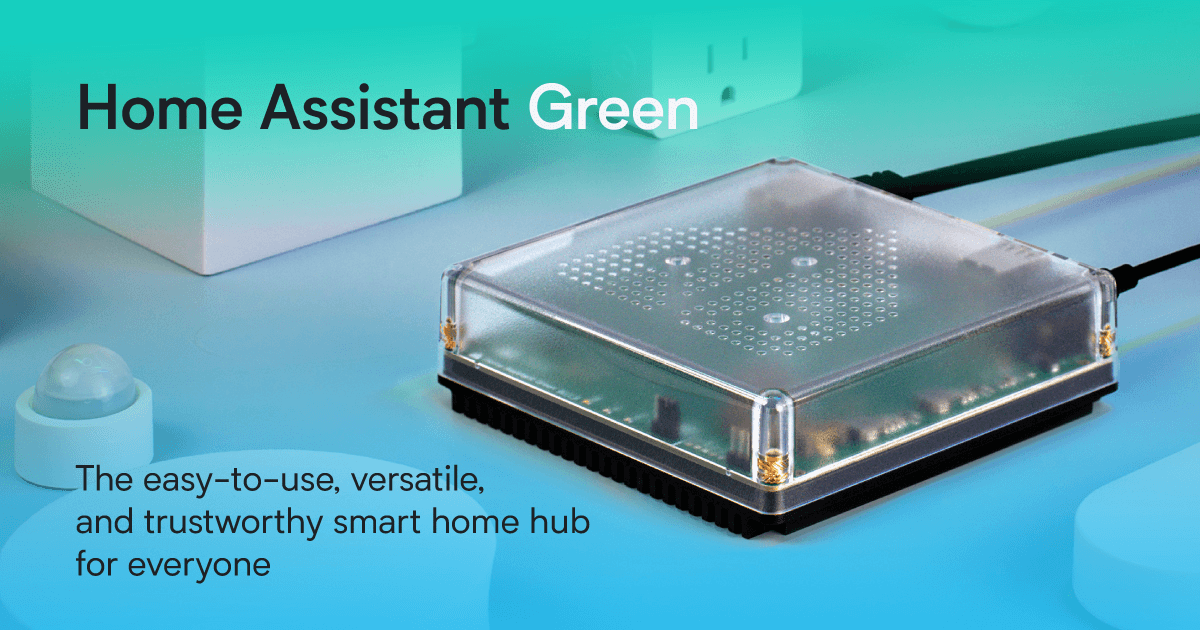
Home Assistant uses a computer or device to run. This device acts as the smart home’s brain. It talks to your smart gadgets. It can be a Raspberry Pi, a small computer, or a server.
Devices connect to Home Assistant using Wi-Fi, Zigbee, Z-Wave, or other protocols. Home Assistant collects information from devices. Then it sends commands back. You control everything via a web page or app.
Automations are rules you set. For example, “if motion is detected, turn on light.” Home Assistant checks these rules all the time. When conditions match, it acts fast.
Getting Started with Home Assistant
Starting with Home Assistant is simple. Follow these steps:
- Choose Your Hardware: Buy a device to run Home Assistant. Raspberry Pi is popular and affordable.
- Download and Install: Download Home Assistant OS from the official site. Install it on your device.
- Connect to Network: Make sure your device connects to your home Wi-Fi or Ethernet.
- Open Home Assistant: Use a web browser to open Home Assistant. Usually at
http://homeassistant.local:8123. - Create an Account: Follow the setup wizard to make your user account.
- Add Devices: Start adding your smart devices. Home Assistant will detect many automatically.
- Set Automations: Create simple automation rules for your devices.
That’s it! You have your smart home platform ready. You can now control devices and make automations.
Credit: www.home-assistant.io
Popular Devices to Use with Home Assistant
Home Assistant works with many devices. Here are some common types you might want:
- Smart Lights: Philips Hue, LIFX, IKEA Tradfri
- Smart Plugs: TP-Link Kasa, Sonoff, Wemo
- Thermostats: Nest, Ecobee, Honeywell
- Security Cameras: Ring, Arlo, Wyze
- Motion Sensors: Xiaomi Aqara, Philips Hue motion sensor
- Voice Assistants: Google Home, Amazon Echo (can be integrated)
Check if your device is supported before buying. Home Assistant’s website has a list of compatible devices.
Basic Automation Ideas for Beginners
Automations are fun and useful. They save time and energy. Here are some easy ideas to try:
- Turn on porch light at sunset.
- Send alert if door opens at night.
- Turn off all lights when you leave home.
- Turn on heater if temperature is below 65°F.
- Play music when you arrive home.
Start with simple rules. You can always add more later.
Tips for Success with Home Assistant
- Keep It Simple: Begin with a few devices and automations.
- Read the Documentation: Home Assistant has good guides and forums.
- Backup Your Setup: Save your configurations regularly.
- Use Groups: Group devices to control many at once.
- Explore Add-ons: Add more features through add-ons like dashboards or voice control.
Remember, you don’t need to know everything at once. Learn step by step.
Common Challenges and How to Fix Them
Sometimes, things don’t work right away. Here are some common problems and solutions:
| Problem | Possible Cause | How to Fix |
|---|---|---|
| Device not detected | Wrong network or unsupported device | Check device connection and compatibility |
| Automations not working | Rule conditions not met or error in setup | Review automation settings carefully |
| Slow response | Weak Wi-Fi or hardware limits | Improve Wi-Fi or upgrade hardware |
| Update failed | Power loss or wrong procedure | Retry update and follow instructions |
If you get stuck, online forums and the Home Assistant community can help.
Next Steps After Setup
Once you have the basics, you can do more:
- Use voice assistants to control devices.
- Create advanced automations with conditions and timers.
- Set up dashboards to see your home’s status at a glance.
- Integrate sensors for weather, energy use, or water leaks.
- Explore custom scripts for special needs.
Take your time and enjoy learning. Smart homes grow with you.
Frequently Asked Questions
What Is Home Assistant In Smart Homes?
Home Assistant is an open-source platform that controls smart devices at home. It connects lights, sensors, and more in one place. Easy to customize and free to use.
How Does Home Assistant Improve Home Automation?
Home Assistant lets you automate tasks like turning lights on/off. It uses rules based on time, sensors, or devices. This saves energy and adds convenience.
Can Beginners Easily Use Home Assistant?
Yes, Home Assistant offers user-friendly setup guides and community help. Basic features are simple to use for new users. Advanced options grow with your skills.
Which Devices Work With Home Assistant?
Home Assistant supports thousands of devices from many brands. Common devices include smart bulbs, thermostats, cameras, and voice assistants. Compatibility is wide and growing.
Conclusion
Home Assistant is a great tool for smart homes. It brings many devices into one system. You can control and automate your home easily. The software is free and works on simple hardware.
This guide gave you the basics to start. Remember to begin small. Add devices and automations slowly. Use help from the community and guides.
Smart homes do not need to be hard or expensive. With Home Assistant, you can build a smart home that fits your needs and budget. Good luck on your smart home journey!