
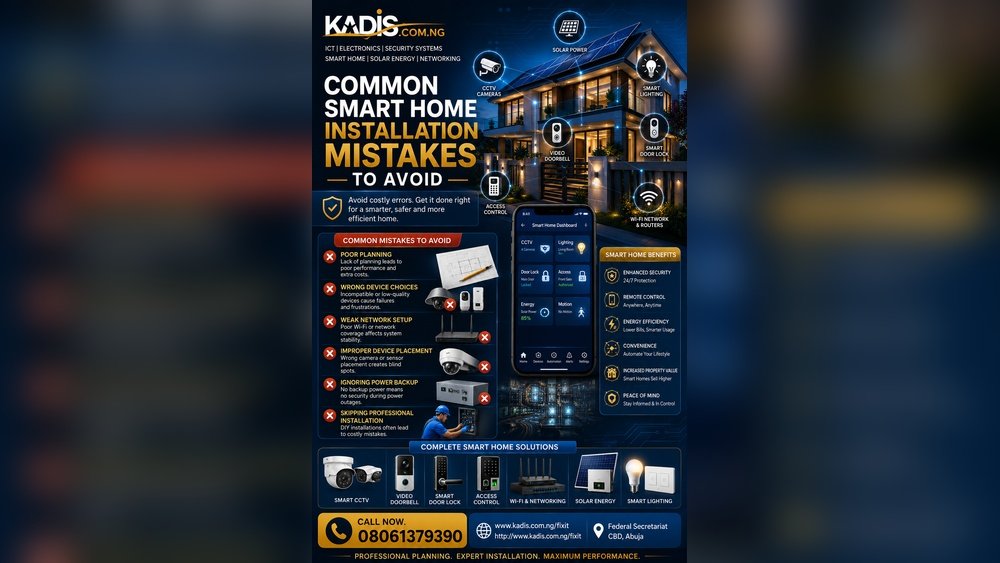
Smart home automation can make life easier. It helps you control lights, locks, and even your thermostat. But many people make mistakes when setting up their smart homes. These mistakes can cause problems and frustration. This article will explain common smart home mistakes. It will also show you how to avoid them.

Credit: yakkatechnicalservices.ae
1. Not Planning Before Buying Devices
Many people buy smart devices without a plan. They buy gadgets that do not work well together. Or they buy too many devices at once. This can cause confusion and waste money.
How to avoid this:
- Think about what you want your smart home to do.
- Make a list of devices you need.
- Check if devices are compatible with each other.
- Start small, then add more devices over time.
2. Ignoring Device Compatibility
Not all smart devices work with each other. Some use different apps or systems. If you buy devices that do not talk to each other, your home won’t be smart enough.
How to avoid this:
- Choose devices that work with one system or app.
- Look for devices that support popular platforms like Alexa, Google Home, or Apple HomeKit.
- Read reviews and check product details before buying.
3. Weak Wi-Fi or No Network Plan
Smart devices need a strong Wi-Fi signal. If your Wi-Fi is slow or weak, devices may not work well. This is a common mistake.
How to avoid this:
- Test your Wi-Fi speed and coverage at home.
- Place your router in a central location.
- Consider Wi-Fi extenders or mesh networks for larger homes.
- Use wired connections when possible for better speed.
4. Skipping Security Measures
Smart homes can be targets for hackers. Many people forget to secure their devices. This can lead to privacy and security problems.
How to avoid this:
- Change default passwords on all devices.
- Use strong, unique passwords for each device.
- Enable two-factor authentication if possible.
- Keep devices updated with the latest software.

Credit: technology-talk.co.uk
5. Overcomplicating Automation
Some people try to automate everything at once. This can make the system confusing. It may also cause devices to work at the wrong time.
How to avoid this:
- Start with simple automations like turning lights on and off.
- Test each automation before adding more.
- Make sure automations are easy to understand and control.
6. Not Considering Power Backup
Power outages can stop smart devices from working. This is often overlooked. Without power, you may lose control of your home.
How to avoid this:
- Use battery backups for critical devices like security cameras and locks.
- Keep manual controls for important systems.
- Know how to operate devices without power or Wi-Fi.
7. Forgetting About Device Placement
Where you place smart devices matters. Wrong placement can cause poor performance. For example, motion sensors may not detect movement well.
How to avoid this:
- Read device manuals for placement tips.
- Place sensors and cameras in spots with good coverage.
- Avoid placing devices near metal objects or thick walls.
8. Not Setting Up Notifications Properly
Smart devices can send alerts. Some people ignore or turn off notifications. This can cause missed important alerts.
How to avoid this:
- Set up notifications for important events, like security alerts.
- Adjust notification settings to avoid too many alerts.
- Test notifications to make sure you receive them.
9. Overlooking Privacy Settings
Smart home devices collect data. Many users do not review privacy settings. This can expose personal information.
How to avoid this:
- Review privacy options in device apps.
- Limit data sharing to only what is needed.
- Turn off features you do not use.
10. Not Reading Instructions
Skipping device manuals is common. Users may miss important setup or safety tips. This leads to problems later.
How to avoid this:
- Read user guides before installing devices.
- Follow all setup steps carefully.
- Keep manuals for future reference.
Summary Table of Common Mistakes and Solutions
| Mistake | How to Avoid |
|---|---|
| Not planning before buying devices | Make a clear list and check compatibility |
| Ignoring device compatibility | Choose devices that work together |
| Weak Wi-Fi or no network plan | Improve Wi-Fi coverage and speed |
| Skipping security measures | Use strong passwords and updates |
| Overcomplicating automation | Start simple and test automations |
| Not considering power backup | Use battery backup and manual controls |
| Forgetting device placement | Place devices for best performance |
| Not setting up notifications properly | Enable important alerts and adjust settings |
| Overlooking privacy settings | Review and limit data sharing |
| Not reading instructions | Read and follow device manuals |
Final Thoughts
Smart home automation can be fun and useful. Avoiding common mistakes makes the experience better. Plan your devices, check compatibility, and secure your system. Keep your network strong and automation simple. Place devices correctly and set alerts you need. Always think about privacy and power backup. Follow these tips to enjoy your smart home.
Frequently Asked Questions
What Common Smart Home Automation Mistakes Should I Avoid?
Many people overlook device compatibility and poor network setup. These cause devices to fail or lag. Planning and checking compatibility help avoid these issues.
How Can I Prevent Smart Home Devices From Losing Connection?
Place your router centrally and avoid thick walls. Use Wi-Fi extenders if needed. This keeps devices connected and responsive.
Why Is Ignoring Security Risks Bad For Smart Homes?
Weak passwords and outdated software invite hackers. Secure your network and update devices regularly. This protects your privacy and data.
What Happens If I Overload My Smart Home System?
Too many devices strain your network and hub. This causes slow response and errors. Limit devices and choose a strong hub.