
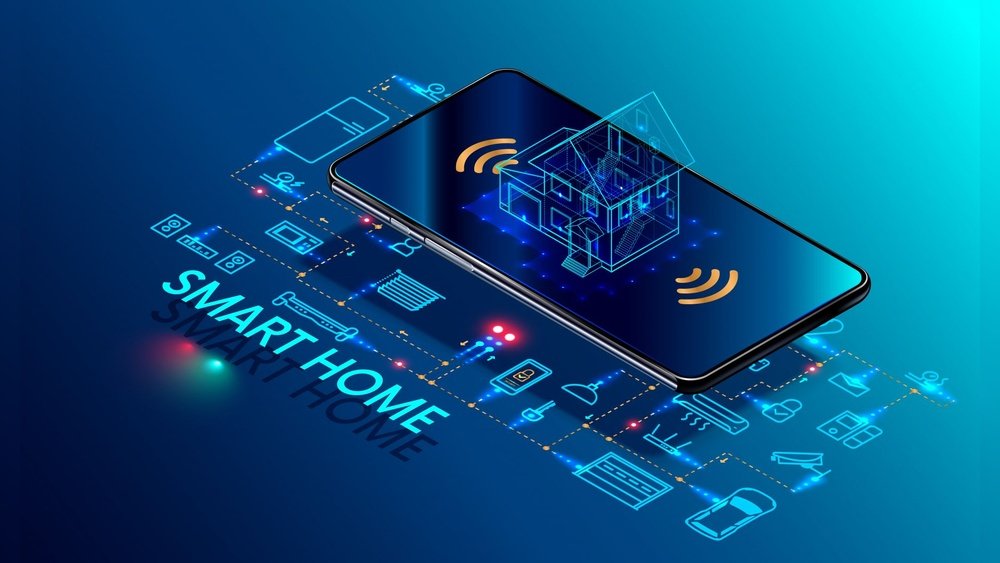
Smart home automation is becoming more popular every day. But what is it exactly? And how does it work? This article will help you understand smart home automation in a simple way. You do not need to know much about technology to follow along.
What Is Smart Home Automation?
Smart home automation means using technology to control things in your house. It can be lights, doors, heating, or even your TV. You can control these things from your phone, computer, or by voice. It makes life easier and more comfortable.
For example, imagine you want to turn off your lights without getting up. Or you want to set the heating to warm your home before you arrive. Smart home automation lets you do these things easily.
Credit: www.security.org
Main Parts of Smart Home Automation
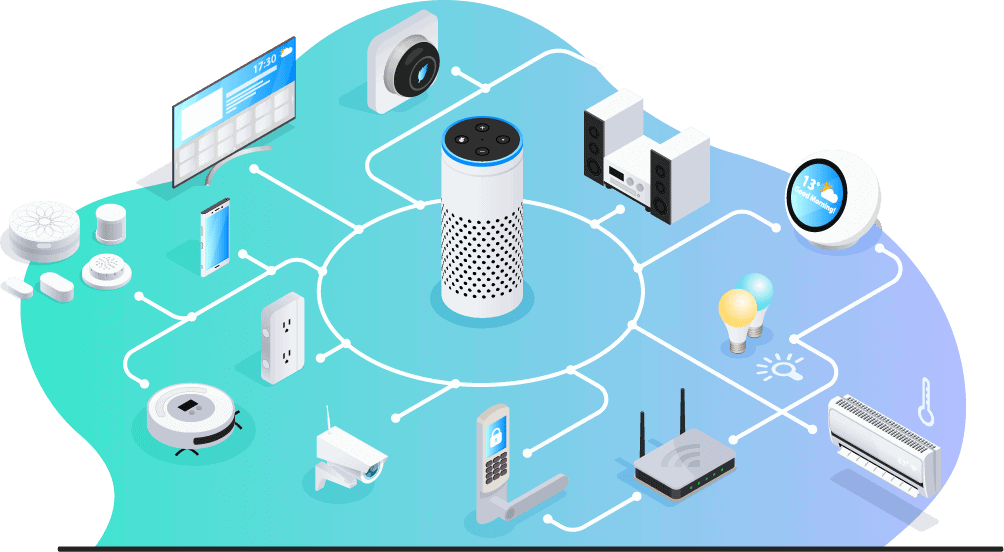
Smart home automation has three main parts. These parts work together to make your home smart.
- Smart Devices
- Controller or Hub
- Communication Network
1. Smart Devices
Smart devices are the things you want to control. They include:
- Smart lights that you can turn on and off.
- Smart locks for your doors.
- Smart thermostats to control temperature.
- Security cameras to watch your home.
- Smart plugs to control any device connected to them.
These devices have small computers inside. They can send and receive signals.
2. Controller Or Hub
The controller is like the brain of your smart home. It tells your devices what to do. Sometimes, your phone acts as the controller. Other times, you need a special device called a hub.
The controller connects to your devices. It sends commands and gets information back. For example, it can tell a light to turn on. Or it can read the temperature from a sensor.
3. Communication Network
For smart devices and the controller to work, they need to talk to each other. This is where the communication network comes in.
They use different ways to connect:
- Wi-Fi: This is common in homes. Devices connect to your internet router.
- Bluetooth: Good for short distances, like in one room.
- Zigbee and Z-Wave: Special wireless systems made for smart homes. They use less power.
- Wired connections: Some devices use wires for better speed and security.
How Do Smart Devices Work Together?
Smart devices can work alone or together. When they work together, it is called automation. This means things happen by themselves.
Here is an example:
- You leave home and lock the door using a smart lock.
- The smart lock tells the system you are away.
- The system turns off the lights and lowers the heating.
- If a security camera sees movement, it sends an alert to your phone.
All these actions happen without you doing anything after the first step.
How Do You Control a Smart Home?
You can control a smart home in many ways. Here are the most common:
1. Mobile Apps
Most smart devices come with an app. You download it on your phone or tablet. The app shows you all your devices. You can turn things on or off. You can change settings too.
2. Voice Control
Devices like Amazon Alexa, Google Assistant, or Apple Siri let you talk to your home. You say commands like:
- “Turn on the kitchen light.”
- “Set the temperature to 72 degrees.”
- “Lock the front door.”
The smart home listens and does what you ask.
3. Automated Schedules
You can set schedules for your devices. For example, lights turn on at sunset. The heating turns off at midnight. This happens every day without your help.
4. Sensors
Sensors can detect things like motion, light, or temperature. When a sensor detects something, it can trigger an action.
For example, a motion sensor can turn on lights when you enter a room. When you leave, the lights turn off.
Benefits of Smart Home Automation
Smart home automation offers many benefits. Here are some you might like:
| Benefit | Explanation |
|---|---|
| Convenience | You control your home easily from anywhere. |
| Energy Savings | Automated heating and lights save electricity. |
| Security | Smart cameras and locks keep your home safe. |
| Comfort | Your home adjusts automatically to your needs. |
| Accessibility | Helps people with disabilities control their home. |
What Are the Steps to Set Up Smart Home Automation?
Setting up a smart home is simple. Follow these basic steps:
- Choose Devices: Pick what you want to control. Start small, like lights or a thermostat.
- Check Compatibility: Make sure devices work together or with your hub.
- Install Devices: Follow instructions to install or replace devices.
- Connect to Network: Link devices to Wi-Fi or your hub.
- Download Apps: Get the apps to control your devices.
- Set Up Automation: Create schedules or rules for devices to follow.
- Test Your System: Try controlling devices with your phone or voice.
Common Smart Home Automation Examples
Here are some easy examples that show how smart homes work:
- Lighting: Lights turn on when you enter a room and off when you leave.
- Heating and Cooling: Thermostat adjusts temperature based on the time or presence.
- Security: Cameras send alerts if they see movement at night.
- Appliances: Coffee machine starts brewing before you wake up.
- Doors: Door locks automatically when you leave and unlock when you come back.
Is Smart Home Automation Safe?
Many people worry about safety and privacy. Smart home devices connect to the internet. This can make them a target for hackers.
To stay safe, follow these tips:
- Use strong passwords for your devices and Wi-Fi.
- Update device software regularly.
- Buy devices from trusted brands.
- Turn off devices when not in use if possible.
- Use secure home networks and avoid public Wi-Fi for control.
Credit: www.romantik-chalets.com
Future of Smart Home Automation
Smart home technology is growing fast. New devices and features come out every year. Soon, homes will be even smarter and easier to use.
Some future ideas include:
- More devices that learn your habits.
- Better voice control that understands more commands.
- Homes that fix problems by themselves.
- Improved energy management to save more power.
Smart homes will keep making life simpler and safer.
Final Thoughts
Smart home automation works by connecting devices, a controller, and a network. You can control your home from anywhere. It can save energy, improve security, and add comfort.
Setting up smart devices is not hard. Start small and grow your system over time. Use apps or voice control to manage your home.
Remember to keep your system safe with good passwords and updates. Smart homes are tools to help you live better and easier.
Frequently Asked Questions
What Devices Are Needed For Smart Home Automation?
Smart home automation requires devices like smart bulbs, thermostats, cameras, and sensors. These devices connect to a central hub or app for control.
How Do Smart Home Devices Communicate With Each Other?
They use wireless signals like Wi-Fi, Bluetooth, Zigbee, or Z-Wave to share data and commands. This keeps your devices linked and responsive.
Can Smart Home Automation Work Without Internet?
Some devices work offline through local hubs, but most need internet for full features. Internet allows remote control and updates.
What Role Does A Smart Hub Play In Automation?
A smart hub acts as a control center, linking different devices. It lets you manage your home from one place.