
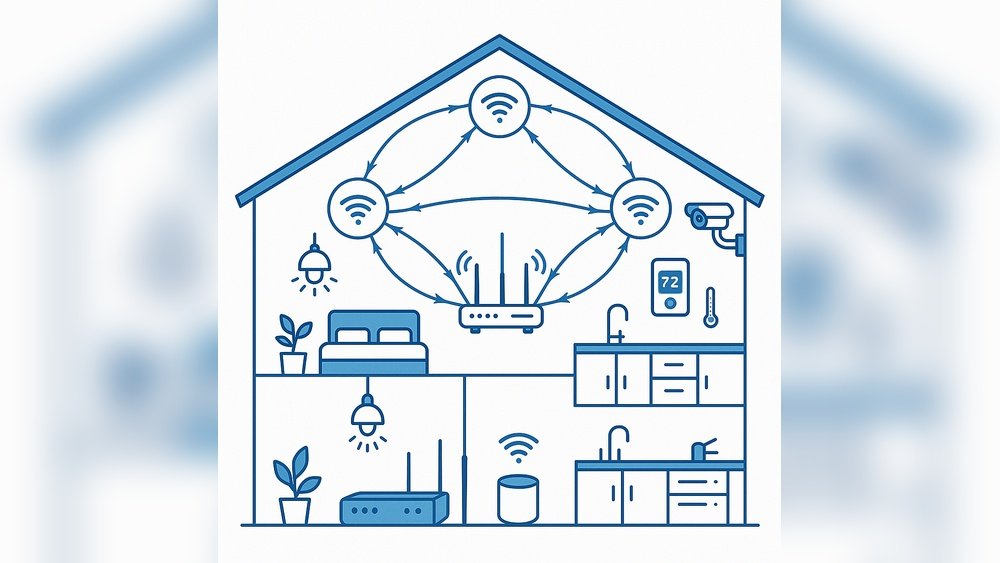
Smart homes are getting more popular every day. Many people use devices like smart lights, cameras, and speakers. These devices connect to the internet and make life easier. But they also bring some risks. Hackers can try to break into your home network. That is why security is very important.
One way to make your smart home safer is by using VLANs. But what is a VLAN? How can it help your smart home? Let’s find out.
What Is a VLAN?
VLAN means Virtual Local Area Network. It is a way to split one network into many smaller parts. Think of it like dividing a house into rooms. Each room is separate but still inside the house.
In a network, VLANs separate devices into groups. Devices in one VLAN can talk to each other easily. But they cannot talk to devices in other VLANs without permission. This separation helps keep things organized and safe.
Why Use VLANs in a Smart Home?
Smart homes have many devices. Some are very important, like computers or phones. Others are less secure, like smart bulbs or cameras. If all devices are on the same network, a hacker can reach any device once inside.
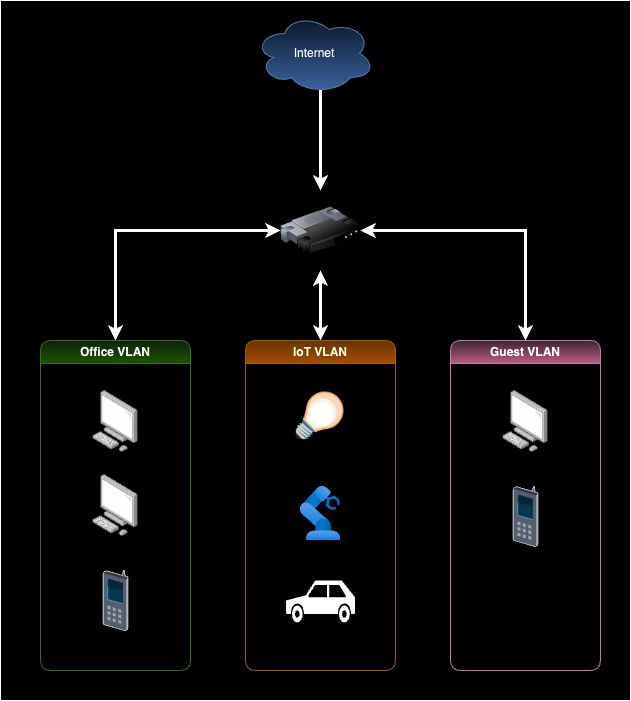
VLANs let you put devices in different groups. For example:
- Put your computers and phones in one VLAN.
- Put smart lights and cameras in another VLAN.
- Put guests’ devices on a separate VLAN.
This setup makes it harder for bad people to move around your network. If one device is hacked, the others are safer.
How VLANs Help with Security
Here are some ways VLANs improve smart home security:
| Security Benefit | Explanation |
|---|---|
| Network Isolation | Devices in one VLAN cannot directly access devices in another VLAN. |
| Limit Damage | If one device is infected, the attack stays in its VLAN. |
| Control Traffic | You decide which VLANs can talk to each other. |
| Guest Network | Keep visitors’ devices separate from your main network. |
| Better Monitoring | Easier to see unusual activity in each VLAN. |
Example: How VLANs Protect Your Smart Home
Imagine you have a smart camera that is not very secure. A hacker tries to enter your network through the camera. If all devices are on the same network, the hacker can try to reach your computer or phone.
But if the camera is on a separate VLAN, the hacker can only access devices in that VLAN. Your computers and phones stay safe. This separation makes it harder to steal information or cause damage.
Setting Up VLANs in Your Home
To use VLANs, you need a router or switch that supports them. Many modern home routers have this feature. You can also buy special devices if your current router does not support VLANs.
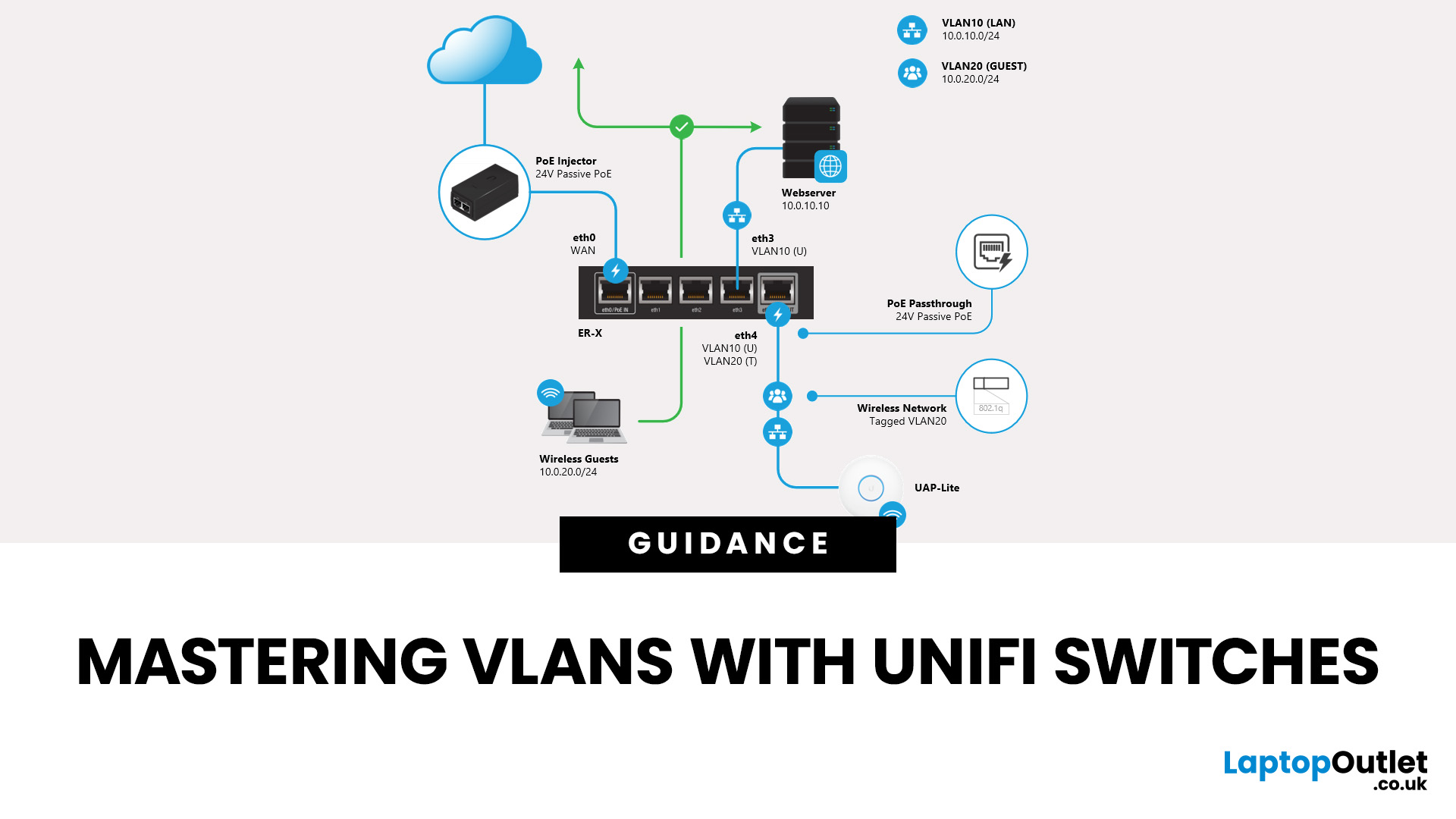
Setting up VLANs may seem hard at first. But many routers have simple guides. You can create groups for your devices and name each VLAN. For example:
- VLAN 10: Personal devices (phones, laptops)
- VLAN 20: Smart home devices (lights, cameras)
- VLAN 30: Guest network
After setup, your router keeps devices separated. You can also set rules to allow some communication. For example, your phone may control smart lights, but guests cannot access your computer.
Tips for Using VLANs Effectively
- Label VLANs clearly: Use easy names to remember each VLAN’s purpose.
- Keep smart devices separate: Put cameras, lights, and sensors in a different VLAN.
- Use strong passwords: Protect your router and devices with good passwords.
- Update devices regularly: Keep your smart devices updated to fix security holes.
- Limit guest access: Give guests only internet access, no access to your home devices.
Common Questions About VLANs and Smart Homes
Can VLANs slow down my network? Usually no. VLANs just separate traffic. They do not reduce speed.
Do I need special tools to set up VLANs? Most home routers have built-in VLAN settings. Check your router’s manual.
Will VLANs stop all hackers? No security method is perfect. But VLANs add a strong layer of protection.
Credit: www.laptopoutlet.co.uk
Credit: victoronsoftware.com
Frequently Asked Questions
What Is A Vlan In Smart Home Security?
A VLAN is a virtual network that separates devices within your home. It keeps your smart devices isolated from other traffic. This helps protect your network from attacks.
How Do Vlans Protect Smart Home Devices?
VLANs limit access between different devices on the network. This reduces the risk of hackers reaching your smart home gadgets. It also stops malware from spreading easily.
Can Vlans Improve Wi-fi Security At Home?
Yes, VLANs create separate Wi-Fi networks for different device groups. This isolates smart devices from personal computers and phones. It makes your Wi-Fi safer and more organized.
Why Use Vlans For Smart Home Cameras?
Smart cameras often handle sensitive data. VLANs keep these cameras on a private network. This reduces chances of someone spying on your home.
Conclusion
Smart homes are great but need good security. VLANs help by separating devices into safe groups. This separation keeps your important devices protected. It limits damage if one device is hacked.
Using VLANs is smart and simple. Many home routers support VLANs today. Setting up VLANs keeps your home network safer. It also gives you better control over your smart devices.
Take time to learn about VLANs. Protect your smart home and enjoy peace of mind.