
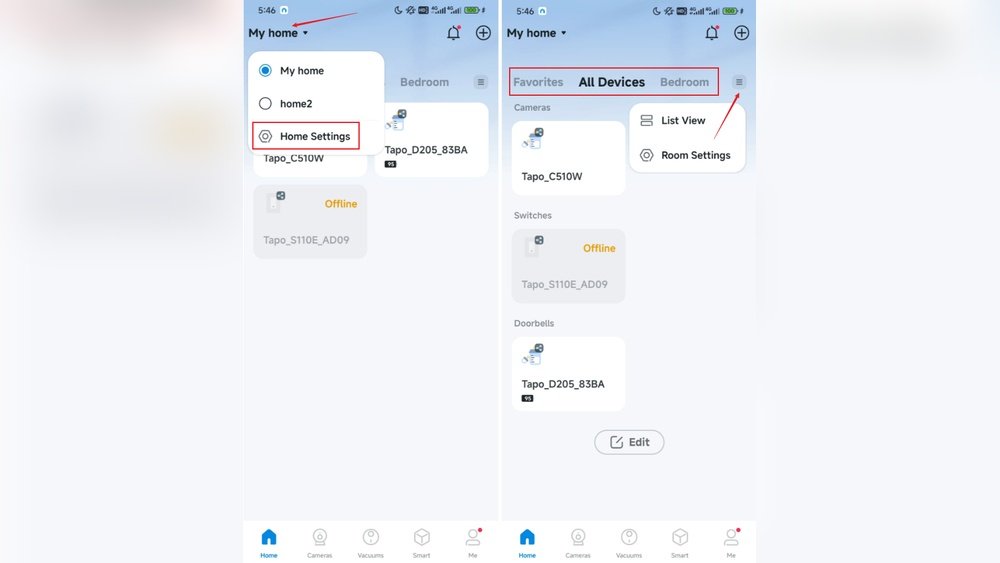
Smart homes are becoming more common every day. Many people use devices like smart lights, thermostats, cameras, and speakers. These devices make life easier and more comfortable. But sometimes, smart homes do not work as expected. One reason is the DNS settings. You might ask, what is DNS? And why does it matter for smart home reliability? This article will explain everything in simple words.
What Is DNS?
DNS stands for Domain Name System. It is like the phone book of the internet. When you type a website address, DNS helps your device find the exact place on the internet. For example, if you type www.example.com, DNS changes this name into numbers called IP addresses. These numbers tell your device where to go.
Without DNS, your smart devices cannot find the servers they need to connect to. This means your smart home devices may stop working or be very slow.

Credit: www.xda-developers.com
How DNS Affects Smart Home Devices
Smart home devices need the internet to work well. They often connect to cloud servers. These servers give commands and information to your devices. If DNS is slow or wrong, devices cannot reach these servers on time. This can cause several problems:
- Delays: Your smart lights may turn on late.
- Connection issues: Cameras may stop streaming video.
- Device failures: Some devices may not work at all.
So, the DNS settings in your home network are very important. They help your smart devices talk to the internet quickly and without trouble.
Common DNS Settings in Home Networks
Most home networks use DNS servers from the internet provider. These are automatic settings in your router. They usually work fine but can be slow or unreliable sometimes. Here are some common types of DNS servers used:
| DNS Server Type | Description | Pros | Cons |
|---|---|---|---|
| ISP DNS | Provided by your internet service provider. | Easy to use, automatic setup. | Sometimes slow or unreliable. |
| Public DNS | Free servers like Google DNS or Cloudflare. | Fast and reliable in many cases. | May block some websites or services. |
| Custom DNS | Special DNS set by user for security or speed. | Can improve speed and privacy. | Needs technical knowledge to set up. |
How to Check Your DNS Settings
You can check your DNS settings on your router or device. This is usually done in the network or internet settings. Look for DNS server addresses. If you see numbers like 8.8.8.8 or 1.1.1.1, these are public DNS servers.
If you see IP addresses from your internet provider, then your router uses ISP DNS. Knowing this helps you decide if you want to change your DNS to improve smart home reliability.
Why Change DNS Settings for a Smart Home?
Changing DNS settings can help your smart home in many ways. Here are some reasons to consider changing your DNS:
- Faster response: Some DNS servers are faster and reduce delay.
- Better reliability: More reliable DNS means fewer outages.
- Improved security: Some DNS servers block harmful sites.
- Privacy: Certain DNS servers do not track your activity.
Changing DNS is simple and can make your smart home work smoother and safer.
Steps to Change DNS Settings
Follow these steps to change DNS settings on your router. This will affect all devices in your home, including smart devices.
- Open your router’s settings page. Usually by typing 192.168.1.1 or 192.168.0.1 in a browser.
- Log in with your username and password.
- Find the section called “Network” or “Internet Settings.”
- Look for DNS server settings.
- Replace the current DNS addresses with new ones. For example, use Google DNS: 8.8.8.8 and 8.8.4.4.
- Save changes and restart your router.
After this, your smart devices will use the new DNS servers. You may notice faster and more reliable connections.
Choosing the Right DNS for Your Smart Home
Not all DNS servers are the same. Here are some popular options:
| DNS Provider | Primary DNS | Secondary DNS | Notes |
|---|---|---|---|
| Google DNS | 8.8.8.8 | 8.8.4.4 | Fast and reliable worldwide. |
| Cloudflare DNS | 1.1.1.1 | 1.0.0.1 | Focus on privacy and speed. |
| OpenDNS | 208.67.222.222 | 208.67.220.220 | Includes security filters. |
Try these options to see which works best for your smart home devices.
What Happens If DNS Settings Are Wrong?
If DNS settings are incorrect, smart home devices may:
- Fail to connect to the internet.
- Show error messages.
- Stop working fully or partially.
- Become slow or unresponsive.
Sometimes devices may keep trying to connect and drain battery. This is frustrating and wastes energy.

Credit: www.vesternet.com
Tips for Better Smart Home Reliability
Besides DNS, here are other tips to keep your smart home reliable:
- Use a strong Wi-Fi signal: Place your router centrally in your home.
- Update devices regularly: Firmware updates fix bugs.
- Restart your router: Sometimes this helps fix network issues.
- Limit connected devices: Too many devices can slow your network.
- Secure your network: Use strong passwords to prevent hacking.
Frequently Asked Questions
What Is Dns And Why Does It Affect Smart Homes?
DNS translates website names into IP addresses. Smart devices rely on DNS to connect and work properly. Wrong DNS settings can cause slow or failed connections.
How Do Dns Settings Impact Smart Device Speed?
Correct DNS settings help devices find servers faster. This reduces delay when controlling smart home gadgets. Slow DNS can make devices respond late or freeze.
Can Wrong Dns Cause Smart Home Security Issues?
Yes, incorrect DNS can expose devices to fake websites. This risks hacking or data theft. Secure DNS helps keep smart home networks safe.
How Often Should I Update Dns For Smart Home Devices?
Updating DNS settings yearly or when issues arise is good. New DNS can improve speed and security. Check with your internet provider for best DNS options.
Conclusion
DNS settings are a small but important part of your smart home. They help your devices find the internet quickly and safely. Good DNS settings mean your smart lights, cameras, and other gadgets work without delays or errors.
If your smart home devices act slow or fail, check your DNS settings first. Changing to a faster, more reliable DNS can improve your smart home’s performance. It is easy to do and worth trying.
Remember, a reliable smart home means less worry and more comfort. So, pay attention to DNS settings to keep your smart home running smoothly.