
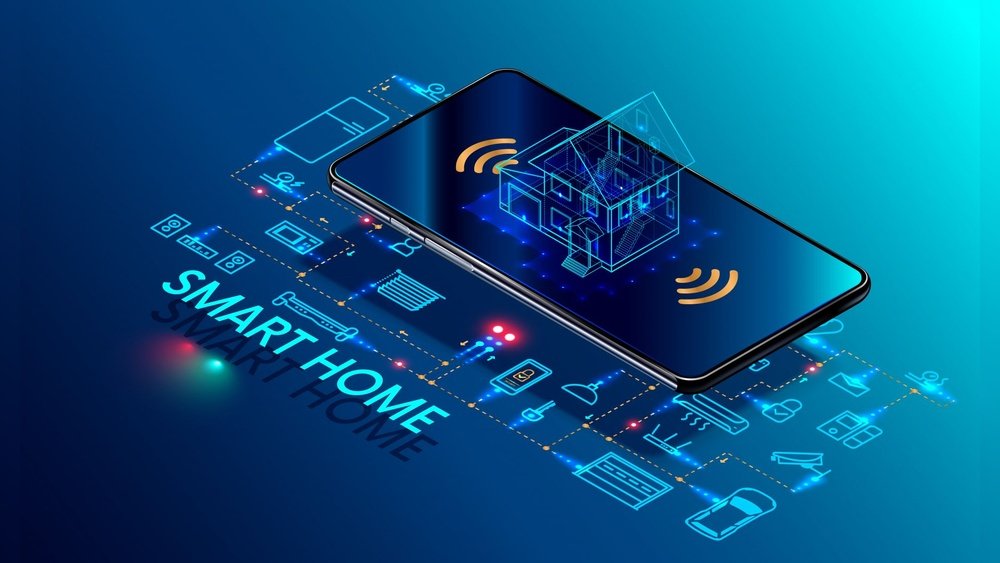
Smart home automation is a way to make your home work for you. It uses technology to control things like lights, doors, and temperature. You can manage these things from your phone or by voice. But how does it all work? Let’s find out in simple words.
What Is Smart Home Automation?
Smart home automation means using devices that connect to the internet. These devices can talk to each other. They can also follow your commands. You can turn off lights without getting up. Or lock your door from far away. It makes your life easier and safer.
Credit: waverleysoftware.com
Main Parts of a Smart Home
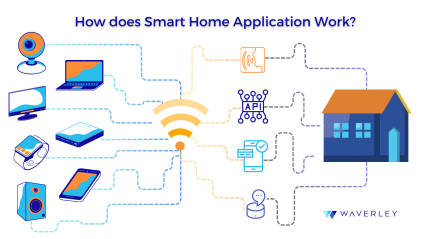
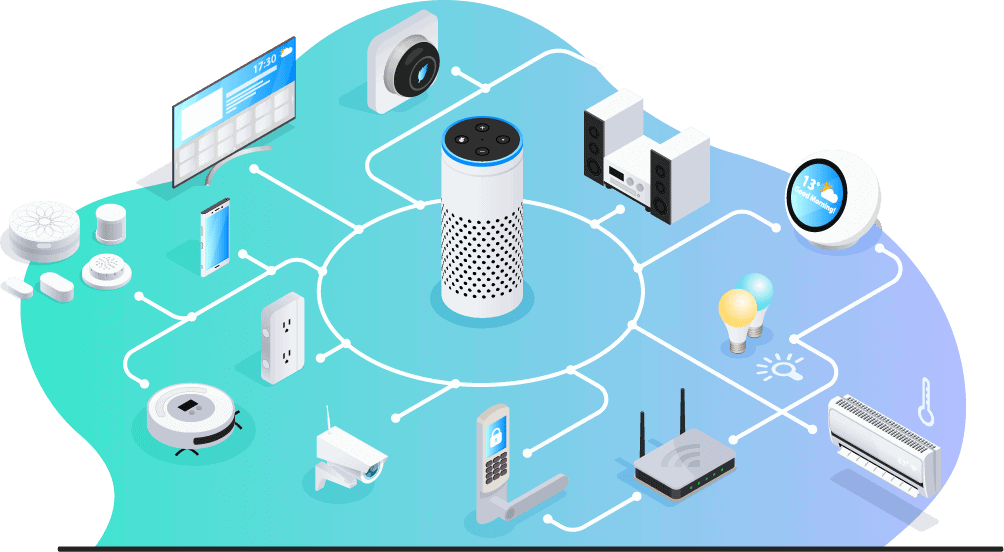
A smart home has three main parts:
- Devices: These are smart lights, locks, cameras, thermostats, and more.
- Controller: This is usually your smartphone or a smart speaker.
- Network: This connects your devices and controller. Usually, it is Wi-Fi or Bluetooth.
Devices
Devices are the things you control. They have special chips inside. These chips let them connect to the internet. Examples include:
- Smart bulbs that change color or brightness
- Smart locks that open with a code or phone
- Smart thermostats that adjust temperature automatically
- Security cameras that send alerts to your phone
Controller
The controller is what you use to control devices. It can be:
- A smartphone app
- A smart speaker like Amazon Echo or Google Home
- A tablet or computer
The controller sends commands to devices. It also shows you information from devices. For example, a camera can show live video on your phone.
Network
The network connects all devices and controllers. Common networks are:
- Wi-Fi: Most smart devices use Wi-Fi. It covers your home and connects to the internet.
- Bluetooth: Works for short distances. Often used for smart locks or speakers.
- Zigbee and Z-Wave: Special networks for smart homes. They use less energy and connect many devices.
How Does Smart Home Automation Work?
Smart home automation works by sending signals between devices. These signals tell devices what to do. For example, you can tell a light to turn on. You do this through your phone or voice.
Here is a simple step-by-step process:
| Step | What Happens |
|---|---|
| 1. You give a command | Use your phone app or voice to say, “Turn on the light.” |
| 2. Controller sends signal | The app or smart speaker sends a message through the network. |
| 3. Device receives the signal | The smart light gets the message and knows what to do. |
| 4. Device performs action | The light turns on as you asked. |
Automation Rules
Smart homes can do more than just listen to you. They can act on their own. This is called automation. You set rules that tell devices when to work.
For example:
- Turn on the porch light at sunset.
- Lower the thermostat when you leave home.
- Send a message if the door opens at night.
These rules make your home smart. Devices watch for things like time or sensors. When conditions match, devices act automatically.
Smart Home Sensors
Sensors help your home know what is happening. They send information to the system. Common sensors include:
- Motion sensors: Detect movement in a room.
- Door/window sensors: Know if a door or window opens.
- Temperature sensors: Measure room temperature.
- Light sensors: Detect how bright it is outside.
When sensors detect something, they send a message. This message can trigger an action. For example, a motion sensor can turn on a light when you enter a room.
Voice Control
Many smart homes use voice control. You talk to a smart speaker. It listens and sends commands to devices.
Popular voice assistants include:
- Amazon Alexa
- Google Assistant
- Apple Siri
Say simple commands like “Turn off the kitchen lights.” The assistant understands and acts fast.
Benefits of Smart Home Automation
Smart home automation offers many benefits:
| Benefit | Explanation |
|---|---|
| Convenience | Control your home from anywhere, anytime. |
| Energy Savings | Use energy only when needed, lowering bills. |
| Safety | Monitor your home and get alerts for problems. |
| Comfort | Keep your home at the perfect temperature. |
How to Start with Smart Home Automation
Starting is easy. Follow these simple steps:
- Choose a smart home controller (phone app or smart speaker).
- Buy smart devices you want, like lights or locks.
- Connect devices to your home Wi-Fi or network.
- Use the app to control and set automation rules.
Start small. Add more devices over time. This way, you learn how it works.
Security and Privacy
Smart homes connect to the internet. This means they can be targets for hackers. Protect your home with these tips:
- Use strong, unique passwords for devices and Wi-Fi.
- Keep your devices’ software updated.
- Only buy devices from trusted brands.
- Turn off features you don’t use.
Being careful helps keep your smart home safe.
Credit: www.security.org
Frequently Asked Questions
What Is Smart Home Automation Technology?
Smart home automation uses devices connected to the internet. These devices control things like lights, locks, and thermostats automatically.
How Do Smart Home Devices Communicate?
Devices communicate through Wi-Fi, Bluetooth, or Zigbee protocols. This helps them share data and work together smoothly.
Can Smart Home Automation Save Energy?
Yes, it can reduce energy use by adjusting lights and temperature. This helps lower electricity bills and waste.
What Role Do Sensors Play In Smart Homes?
Sensors detect motion, temperature, or light changes. They trigger actions like turning on lights or adjusting heating.
Conclusion
Smart home automation works by connecting devices through a network. You control these devices with a phone or voice. Automation lets your home act on its own. Sensors and rules make this possible.
It brings ease, safety, and savings. Starting is simple and affordable. Just pick a controller, add devices, and enjoy your smart home life.