

Smart homes have many devices working together. These devices need software to work. This software is called firmware. Sometimes, the firmware can cause problems. When that happens, a firmware rollback might be needed. But what does a firmware rollback mean? And what happens during it? This article will explain everything in simple words.
What Is Firmware in a Smart Home?
Firmware is a type of software. It is inside smart home devices. It helps devices do their jobs. For example, a smart light bulb uses firmware to turn on or off. A smart thermostat uses firmware to control temperature.
Firmware is different from apps you use on phones. It is built into the device. It controls how the device works at a basic level.
Why Do We Update Firmware?
Companies often send updates for firmware. Updates can fix bugs or add new features. They make devices safer and better. So, updating firmware is important for smart home devices.
But sometimes, new firmware can cause problems. Maybe the device stops working right. Or some features do not work as they should. That is when a firmware rollback is needed.
What Is a Firmware Rollback?
A firmware rollback means going back to an older firmware version. It is like undoing the last update. If the new firmware causes trouble, the rollback fixes it.
Think of it as pressing the “undo” button on your device’s software. It helps the device work like before.
When Is a Firmware Rollback Needed?
- If the device crashes or freezes after an update.
- If some features stop working correctly.
- If the device becomes slower than before.
- If the new firmware has security problems.
- If the device disconnects from the smart home system.
In these cases, going back to an older firmware version can help fix the problem.
What Happens During a Firmware Rollback?
The rollback process has several steps. Each step is important to keep the device safe and working.
1. Backup Current Settings
Before starting, the device saves current settings. This is important. It helps keep your preferences, like Wi-Fi or schedules, safe. Without backup, you might lose your settings during rollback.
2. Download Older Firmware
The device or the user downloads the older firmware version. This version is the one before the last update. It is usually stored on the company’s server or website.
3. Prepare Device For Rollback
The device gets ready to change its software. It may restart or enter a special mode called “recovery mode.” This mode allows the rollback to happen safely.
4. Install Older Firmware
The device deletes the new firmware. Then it installs the older version. This takes a few minutes. During this time, do not turn off the device. Turning off can cause damage.
5. Restore Settings
After installing the older firmware, the device puts back your saved settings. This step helps your device work just like before the update.
6. Restart Device
The device restarts to finish the rollback. When it turns on, it runs the older firmware. Now, it should work correctly again.
How Does Rollback Help?
Rollback fixes problems caused by new firmware. It helps devices work normally again. It also protects your smart home from bugs or security issues.
Without rollback, you might have to buy a new device or wait for another update. Rollback saves time and money.
Are There Any Risks?
Rollback is usually safe. But some risks exist:
- If interrupted, the device may stop working.
- Some new features may be lost after rollback.
- Settings might not restore properly.
To avoid risks, follow instructions carefully. Make sure the device is plugged in and has good power.
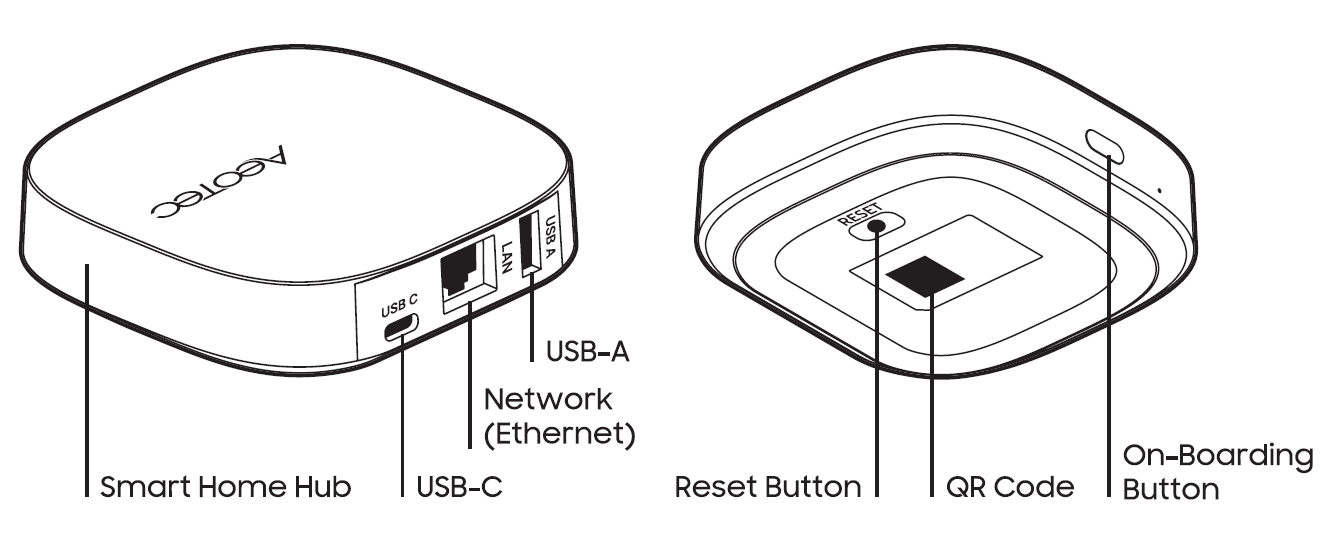
Credit: aeotec.freshdesk.com
Can Users Do Rollback Themselves?
Sometimes yes. Some devices let users rollback firmware easily. This can be done via the device app or website.
Other times, rollback needs help from customer support or a technician. It depends on the device and the company.

Credit: www.youtube.com
Tips to Handle Firmware Rollback
- Always read device instructions before updating firmware.
- Check online if others have problems with new updates.
- Keep your device charged or plugged in during rollback.
- Backup settings if your device allows it.
- Contact support if unsure about rollback steps.
Summary Table: Firmware Rollback Steps
| Step | Description |
|---|---|
| 1. Backup Settings | Save your device preferences to avoid loss. |
| 2. Download Older Firmware | Get the previous version of the firmware. |
| 3. Prepare Device | Restart or enter recovery mode for rollback. |
| 4. Install Older Firmware | Remove new firmware and install older version. |
| 5. Restore Settings | Put back saved preferences after install. |
| 6. Restart Device | Reboot to run the older firmware version. |
Frequently Asked Questions
What Is A Smart Home Firmware Rollback?
A firmware rollback restores a smart device to an earlier software version. It helps fix bugs or errors from recent updates. This process ensures your device runs smoothly again.
Why Do Smart Homes Need Firmware Rollbacks?
Firmware updates can sometimes cause issues or reduce performance. Rolling back solves these problems by returning to a stable version. It keeps your smart home devices reliable.
How Long Does A Firmware Rollback Take?
Rollback time varies but usually takes a few minutes. Devices restart during the process, so wait patiently. Avoid turning off your device until it finishes.
Can Firmware Rollback Cause Data Loss?
Most rollbacks do not erase your personal data. They only change the device’s system software version. Still, backing up important data before rollback is smart.
Conclusion
Firmware rollback is a way to fix smart home devices. It helps when new updates cause problems. The process goes step by step. It saves your settings and brings back the old software. Rollback keeps your smart home devices working well. Always be careful when doing rollback. Follow instructions and backup your data. This keeps your smart home safe and smooth.