
As an Amazon Associate, we earn from qualifying purchases. This post contains affiliate links, and buying through one costs you nothing extra.
Smart bulbs with sunrise simulation vary based on whether you prefer a simple app-controlled system or a tool built for your sleep-wake cycle. These options differ primarily in their smart home compatibility and whether they include dedicated physical remotes for easier, non-phone interaction.
Best overall: Philips Smart LED Bulb, which offers seamless Matter integration and flexible color options for any room in your house. Best app integration: WiZ LED Smart Bulb, which excels at automated scheduling and works reliably with all major smart home voice platforms. Best dedicated simulation: Smart LED Alarm Bulb, which includes a physical remote and specific modes for sunrise and sunset sleep support.
We wrote this guide for anyone looking to improve their daily lighting routines without complicated wiring or professional installation.
How We Picked
To earn a spot, each listing had to clearly state its connectivity requirements, app features, and physical installation process. We excluded products that lacked clear details on color temperature adjustments or voice control compatibility.
| Best Choice | |||
| Preview |  |  |  |
|---|---|---|---|
| Product | Philips Smart LED Bulb | WiZ LED Smart Bulb | Smart LED Alarm Bulb |
| Brand | PHILIPS | WiZ Connected | JUXLamp |
| Best for | Best Overall | Best App Integration | Best Dedicated Simulation |
| The listing says | SpaceSense motion activation without sensors 16 million color options | App, remote, or voice control Automated sunrise to sunset or motion | Natural rhythm sleep-wake solution Gradual sunrise simulation wake-up |
| More information | Check Price on Amazon | Check Price on Amazon | Check Price on Amazon |
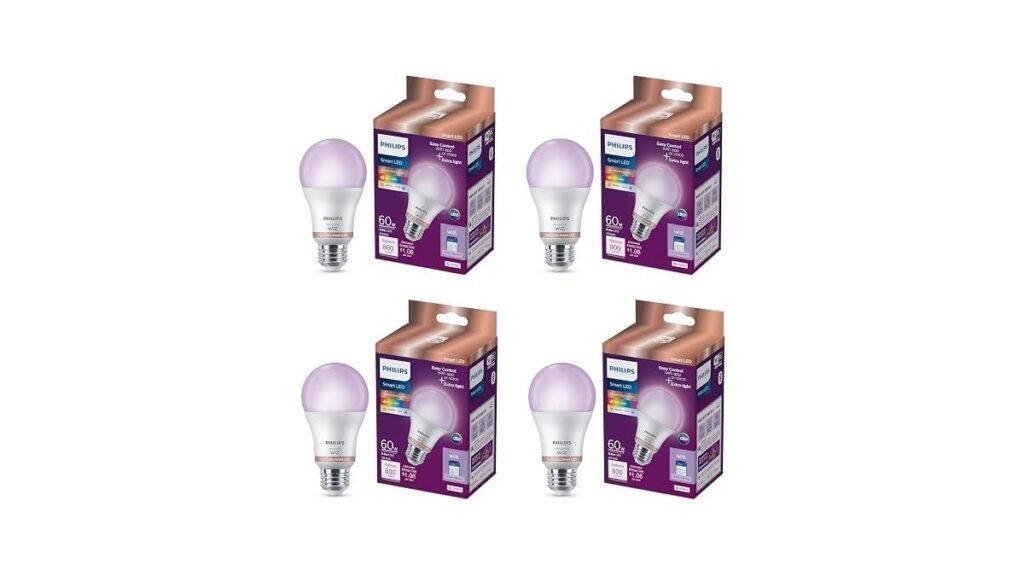
1. PHILIPS Smart LED Full Color Light Bulb 4-Pack
Best for: Users building a comprehensive Matter-certified smart home.
This bulb stands out for its versatility, allowing you to control lighting through any major smart home platform. You can change between 16 million colors or adjust the warmth of white light to match your mood throughout the day. Because it’s Matter-certified, it integrates easily with other smart devices you might already own.
The SpaceSense feature is a unique highlight for those who want automation without buying extra hardware. By using two or more bulbs, the system detects motion to trigger lights on or off automatically. If you prefer a setup that stays within the WiZ ecosystem and doesn’t require a separate hub, this is a practical choice. It isn’t compatible with Philips Hue products, so keep your existing brand ecosystem in mind.
Pros
- Works with major smart platforms.
- Includes motion-based automation features.
- Offers millions of color options.
Cons
- Not compatible with Philips Hue.
- Requires two bulbs for SpaceSense.
2. WiZ LED Smart Light Bulbs
Best for: People who want reliable voice control and easy scheduling.
This bulb is built for convenience, offering multiple ways to manage your home lighting. You can use voice commands, the mobile app, or a remote to adjust brightness and color settings from anywhere. The sunset-to-sunrise automation is straightforward to set up, making it ideal for those who want their home to adjust automatically as the day changes.
The setup process is fast, as it connects directly to your 2.4 GHz Wi-fi without needing a hub. It’s a solid option for general task lighting or creating specific moods in any room. If you’re looking for a system that relies heavily on voice assistants like Alexa or Google Home, this unit is designed to integrate smoothly. It isn’t suitable for users who want to use existing wall-mounted dimmers.
Pros
- Simple Wi-fi setup process.
- Versatile voice control options.
- Effective automated scheduling features.
Cons
- Requires 2.4 GHz Wi-fi network.
- Not for use with dimmers.
3. Smart LED Alarm Bulb
Best for: Light sleepers who need a dedicated sleep-wake system.
This bulb is tailored for bedroom use, focusing on natural sleep rhythms rather than just general smart home control. It features a specific sunrise simulation that gradually brightens to wake you up gently, as well as a sunset mode that fades light while playing natural white noises. It removes the need for loud, jarring alarms by using light to help you transition out of sleep.
The inclusion of a handheld remote makes it very accessible for kids or the elderly who may not want to use a phone every time they need to adjust the light. You can easily switch between cool white for energy or warm white for relaxation. It fits into standard fixtures, making the upgrade simple. This bulb isn’t compatible with dimmable fixtures, so verify your lamp type before ordering.
Pros
- Includes a dedicated handheld remote.
- Features soothing natural white noises.
- Gradual sunrise wake-up simulation.
Cons
- Not for use with dimmers.
- Limited to three light colors.
How to Choose the Best Smart Sunrise Bulbs
Which connectivity feature matters most?
Matter certification is the most important factor if you want your lights to work across different platforms like Apple, Google, and Alexa. It ensures your devices communicate well, preventing the frustration of having lights that only work with one specific app or hub.
Should I prioritize a remote control?
If you want to avoid using your phone in bed, a physical remote is essential. While app-based bulbs are great for schedules, a remote provides instant, tactile control that’s much faster when you’re half-asleep or if you have guests visiting.
What should I confirm before ordering?
Always check your existing light fixtures for dimmers. Most smart bulbs aren’t designed to work with traditional wall-mounted dimmer switches. Using them together can cause flickering or permanent damage to the bulb’s electronics.
Related guides
Frequently Asked Questions
Does the bulb need a hub to work?
No, the bulbs mentioned here connect directly to your Wi-fi network. You don’t need to buy an extra gateway or bridge, which simplifies the installation process significantly. Just screw them in and connect via the manufacturer’s app.
What happens if the bulb loses connection?
If your Wi-fi goes down, the bulb will still function as a standard light using your wall switch. For the Smart LED Alarm Bulb, you can use the included remote to maintain control of the basic sleep and light functions without needing the internet.
Are these bulbs compatible with all lamps?
These bulbs fit standard E26 sockets, but you must avoid using them with existing dimmer switches. Using a smart bulb on a dimmed circuit can cause buzzing or flickering, as the bulb is trying to manage its own internal power regulation.
How does the reset function work?
Most smart bulbs have a simple reset process if they stop responding to the app. For the Smart LED Alarm Bulb, you simply cut the power to the fixture for five seconds and then turn it back on to restore factory settings.
Closing
For the best overall performance and smart home integration, the Philips Smart LED Bulb is the top choice, while the Smart LED Alarm Bulb is the better pick if you want a dedicated sleep aid with a remote. Check your fixture compatibility and start your transition to automated lighting today.