
Smart homes are becoming popular everywhere. Many people want to control their devices easily. But how do all these devices work together? This is where a smart home hub comes in.
What Is a Smart Home Hub?
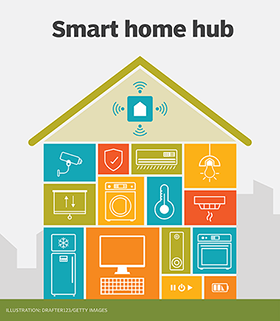
A smart home hub is a device that connects different smart gadgets in your house. It lets you control many devices from one place. Think of it as the brain of your smart home.
Without a hub, your smart devices might not talk to each other. For example, your smart lights and smart locks may work separately. But a hub helps them work as a team.
Why Do You Need A Smart Home Hub?
- Easy Control: Control many devices with one app or voice command.
- Better Automation: Make devices work together automatically.
- Device Compatibility: Connect devices from different brands.
- Improved Security: Manage home security devices in one place.
Credit: homesmart.sg
How Does a Smart Home Hub Work?
A smart home hub works by connecting to your smart devices. It uses different ways to talk to these devices.
Communication Methods
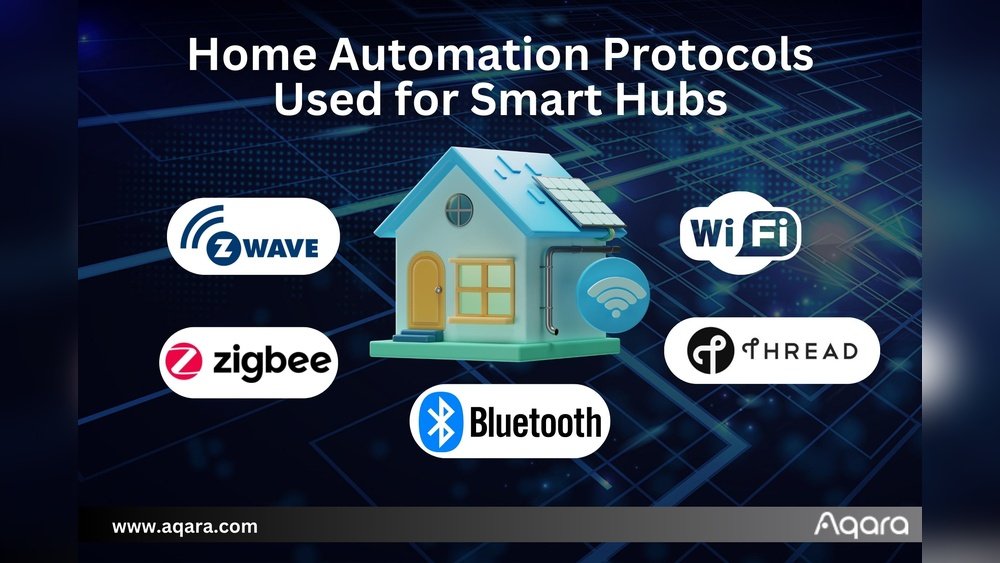
Smart hubs use several wireless technologies. Here are the most common ones:
| Technology | What It Does | Example Devices |
|---|---|---|
| Wi-Fi | Connects devices using your home internet. | Smart speakers, cameras |
| Bluetooth | Short-range communication for close devices. | Smart locks, fitness trackers |
| Zigbee | Low power, long battery life, connects many devices. | Smart bulbs, sensors |
| Z-Wave | Secure, low power, good for home automation. | Security systems, door locks |
Connecting Devices
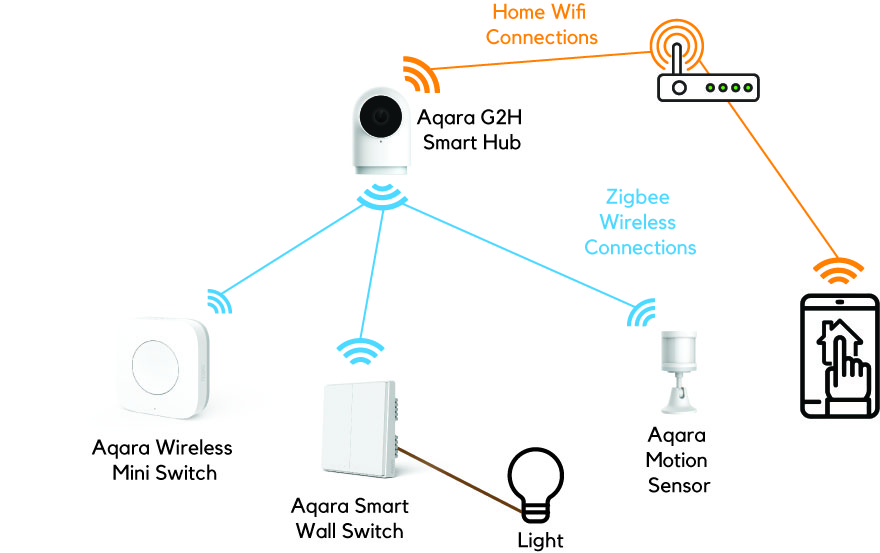
The hub connects to your home Wi-Fi network. Then it pairs with smart devices. This pairing lets them share information.
For example, if you have a smart light and a motion sensor, the hub can link them. When the sensor detects movement, the light turns on automatically.
Central Control
You can control your smart devices through the hub’s app. Or use your voice with smart assistants. This way, you don’t need many apps for different devices.
Types of Smart Home Hubs
There are many smart home hubs. Some are simple, others are more advanced. Here are common types:
Dedicated Smart Home Hubs
These are devices made only to be hubs. They focus on connecting many devices well. Examples include Samsung SmartThings Hub and Wink Hub.
Smart Speakers As Hubs
Some smart speakers also act as hubs. They listen to your voice and control devices. Amazon Echo and Google Nest Hub are good examples.
Smartphone Apps As Hubs
Some apps work like hubs. They connect devices using Wi-Fi or Bluetooth. But they may not support all device types.
Benefits of Using a Smart Home Hub
Using a smart home hub brings many benefits. Here are some important ones:
- Convenience: Control devices from one place.
- Automation: Set devices to work together automatically.
- Better Security: Monitor and control home security easily.
- Energy Savings: Manage lights and appliances efficiently.
- Device Compatibility: Connect gadgets from different brands.
How to Choose the Right Smart Home Hub
Choosing a hub depends on your needs. Here are some points to consider:
Supported Devices
Check if the hub supports your smart devices. Some hubs work only with certain brands or protocols.
Ease Of Use
Look for a hub with an easy app or voice control. You want something simple to set up and use.
Automation Features
See what kind of automation the hub offers. Can it link many devices to work together?
Voice Assistant Compatibility
Does the hub work with Alexa, Google Assistant, or Siri? Voice control is helpful for many users.
Budget
Smart home hubs come in many prices. Choose one that fits your budget without losing key features.
Credit: www.techtarget.com
Setting Up a Smart Home Hub
Setting up a smart home hub is usually easy. Here are general steps:
- Plug in the hub and connect it to your Wi-Fi.
- Download the hub’s app on your phone or tablet.
- Create an account if needed.
- Follow instructions to pair your smart devices.
- Set up automation rules or voice control.
Once set up, you can start controlling your home smartly.
Common Smart Devices That Work With Hubs
Many smart devices can connect to a home hub. Here are examples:
- Smart lights and bulbs
- Smart thermostats
- Security cameras
- Smart locks and doorbells
- Motion and door sensors
- Smart plugs and outlets
- Voice assistants
With a hub, these devices can work together easily.
In Summary
A smart home hub is the center of your smart devices. It connects devices and lets you control them from one place. It uses wireless technologies like Wi-Fi, Zigbee, and Z-Wave.
Hubs make smart homes easier to use and more useful. They help devices talk and work together. Choosing the right hub depends on your devices and needs.
Setting up a hub is simple. After setup, you get more convenience and control.
If you want a smarter home, a smart home hub is a good place to start.
Frequently Asked Questions
What Is The Main Purpose Of A Smart Home Hub?
A smart home hub connects all your smart devices into one system. It helps you control lights, locks, and thermostats easily.
How Does A Smart Home Hub Communicate With Devices?
It uses wireless signals like Wi-Fi, Zigbee, or Z-Wave to talk to devices. This allows different brands to work together smoothly.
Can I Control My Smart Home Hub Remotely?
Yes, most smart hubs let you control devices through a phone app. This works from anywhere with an internet connection.
Do Smart Home Hubs Work With Voice Assistants?
Many hubs support voice assistants like Alexa or Google Assistant. You can use voice commands to control your devices hands-free.