
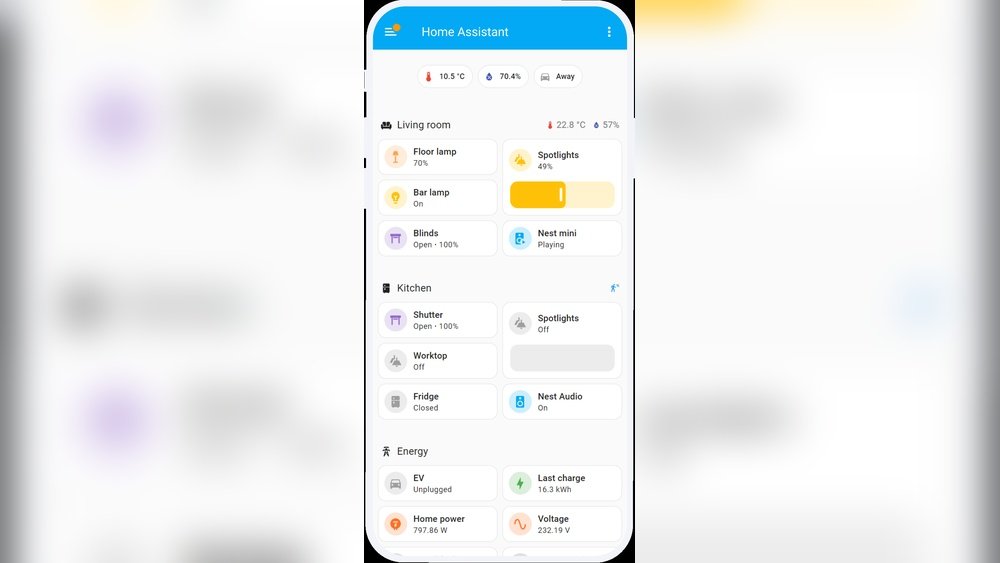
Smart homes are becoming more popular every day. Many people want to control their lights, fans, locks, and other devices easily. But how does this happen? The answer is home assistant software. This software helps your smart home devices talk to each other. It also lets you control them from one place.
What Is Home Assistant Software?
Home assistant software is a program you install on a computer or a small device in your home. It connects to your smart devices like lights, cameras, and sensors. The software helps these devices work together. It also lets you control them with your phone, tablet, or computer.
This software is often open source. That means anyone can use it and change it. It also means many people help make it better. Because of this, home assistant software is very flexible and can work with many devices.
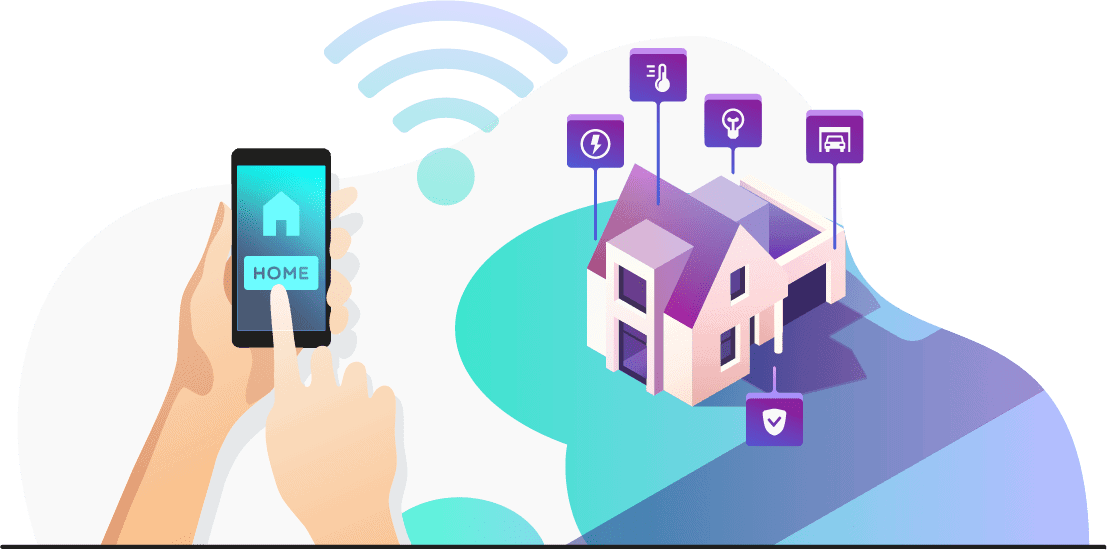
Credit: www.security.org
How Does It Connect to Smart Devices?
Smart devices use different ways to connect. Some use Wi-Fi, others use Bluetooth or Zigbee. Home assistant software supports many types of connections. This way, it can connect with many brands of devices.
When you set up the software, you add your devices. The software finds them on your home network. Then, it learns how to control them. This process is called integration. After integration, you can control your devices from one app or website.
What Can Home Assistant Software Do?
Home assistant software can do many things. Here are some examples:
- Turn lights on or off: You can control lights in your house from anywhere.
- Control temperature: You can change your thermostat to keep your home comfortable.
- Lock or unlock doors: You can check if your doors are locked and control them remotely.
- Monitor cameras: You can see what is happening at home using your cameras.
- Set alarms and alerts: You can get notifications if something unusual happens.
- Automate tasks: You can make your devices work automatically based on rules.
How Does Automation Work?
Automation is one of the best parts of home assistant software. It means your devices can work without you touching anything. You set rules, and the software follows them.
For example, you can tell your lights to turn on at sunset. Or, you can make the heater turn off if a window opens. You can also get alerts if a door opens when you are not home.
These rules are called automations. You create automations using simple steps. The software watches your devices and acts when the rules match.
How Do You Control Home Assistant Software?
You can control home assistant software in many ways. The most common ways are:
- Mobile app: Use an app on your phone or tablet to control devices.
- Web browser: Use a website to see and control your smart devices.
- Voice control: Use a voice assistant like Alexa or Google Assistant.
This makes it easy to use. You do not need to be near your devices. You can control your home from anywhere with internet.
What Are the Benefits of Home Assistant Software?
Using home assistant software has many benefits:
| Benefit | Explanation |
|---|---|
| Central Control | Control many devices from one place. |
| Cost Savings | Automate heating and lights to save energy. |
| Security | Monitor your home with cameras and alarms. |
| Comfort | Keep your home at the right temperature and light. |
| Flexibility | Works with many brands and devices. |
| Privacy | You keep control of your data and devices. |
How to Get Started With Home Assistant Software?
Starting with home assistant software is easy. Follow these steps:
- Choose a device: You need a small computer like a Raspberry Pi or a home server.
- Install the software: Download and install the home assistant software.
- Connect your devices: Add your smart devices to the software.
- Create automations: Make rules to automate your home.
- Control your home: Use the app or website to manage your devices.
If you do not want to install software yourself, some companies offer home assistant services. They help set it up for you.
Is Home Assistant Software Safe?
Many people worry about safety when using smart home software. Home assistant software can be safe if you use it correctly. Here are some tips:
- Keep your software updated.
- Use strong passwords.
- Control who can access your system.
- Keep your home Wi-Fi secure.
Because the software is open source, many people check for problems. This helps find and fix bugs quickly.
What Devices Work With Home Assistant Software?
Home assistant software supports many devices. Here are some examples:
- Smart bulbs and lights
- Thermostats
- Security cameras
- Door locks
- Motion sensors
- Smart plugs and switches
- Voice assistants
This means you can use different brands and still control them with one app.

Credit: www.raspberrypi.com
Can Home Assistant Software Work Without Internet?
Yes, one good thing about home assistant software is that it can work without internet. It runs on your home device. So, even if your internet is off, your devices can still talk to each other.
This is good for security and reliability. Your home stays smart even if the internet goes down.
Frequently Asked Questions
What Is Home Assistant Software For Smart Homes?
Home Assistant is free software that controls smart devices in your home. It helps connect lights, sensors, and other gadgets to work together.
How Does Home Assistant Connect Smart Devices?
It uses your home Wi-Fi or other networks to link smart gadgets. This lets devices share data and respond to commands instantly.
Can Home Assistant Work With All Smart Devices?
Home Assistant supports many brands and types of smart devices. It can manage lights, cameras, locks, and more from one app.
Is Home Assistant Easy To Install And Set Up?
Yes, it offers step-by-step guides to help beginners install and configure the system. Most setups take less than an hour.
Conclusion
Home assistant software helps make homes smarter and easier to control. It connects many devices into one system. You can control your lights, locks, cameras, and more from one app.
With automation, your devices work by themselves based on rules you set. You can save energy, keep your home safe, and live more comfortably.
It is easy to start and works with many devices. Plus, it can work without internet and keeps your data private. If you want a smart home, home assistant software is a simple and flexible way to begin.