
As an Amazon Associate, we earn from qualifying purchases. This post contains affiliate links – if you buy through them, we may earn a commission at no extra cost to you.
Finding the best smart light strips for TV backlighting depends entirely on your setup and how much control you want over your wall lighting. Some systems use cameras to watch your screen and match colors in real time, while others rely on fixed light bars for ambient mood. You should decide between a full-screen sync experience or a simple, static glow to enhance your room. If you want colors that move with your movie, look at the Govee TV Backlight 3. If you prefer a professional, modular setup that integrates with a wider smart home ecosystem, the Philips Hue Play Gradient is the one to investigate.
| Best Choice | |||
| Preview |  |  |  |
|---|---|---|---|
| Product | Govee TV Backlight 3 | Philips Hue Play Gradient | Govee Smart Light Bars |
| Brand | Govee | Philips Hue | Not stated |
| Best for | Best Overall | Most Advanced Sync | Best Light Bar Style |
| The listing says | Dual hybrid 4MP lens 24-zone AI color mapping | Fits 65 inch TVs Requires Hue bridge and sync box | RGBWIC lighting with 27 extra LEDs Fits 45-70-inch TVs |
| More information | Check Price on Amazon | Check Price on Amazon | Check Price on Amazon |
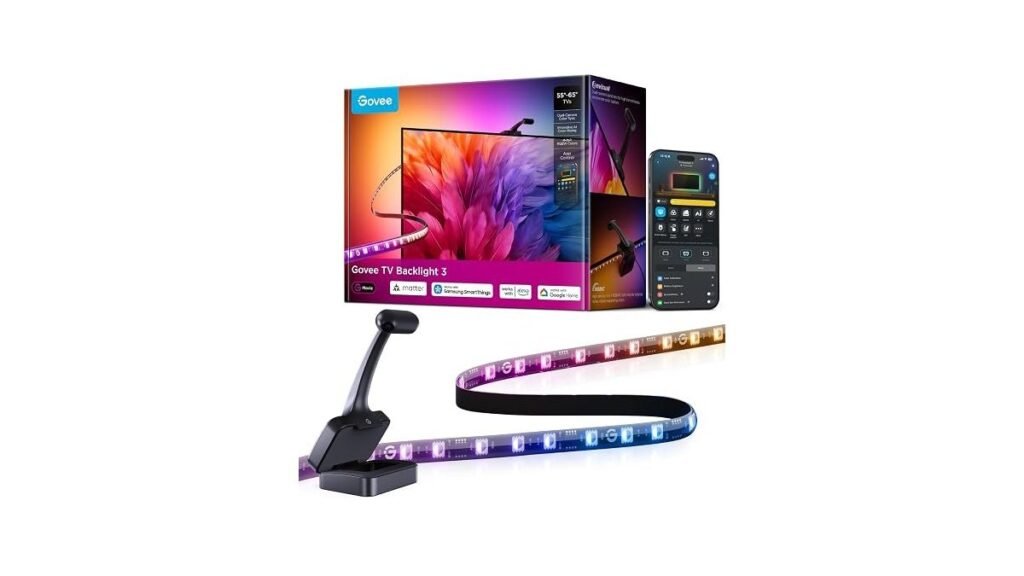
1. Govee TV Backlight 3 with Dual 4MP Lens
Best for: Someone who wants a complete, all-in-one color-syncing solution.
This system uses a camera to capture what is on your screen and translate it into light behind the TV. It demands a bit of space above or below the screen for the small camera, but it offers a very fast response time for gaming or movies. The dual-chip processing helps the lights keep up with fast action on the screen without noticeable lag.
The high-density LED strip ensures that the colors blend smoothly against your wall. Because it includes a dedicated white channel, you get cleaner lighting effects compared to standard RGB strips. It isn’t the right choice if you refuse to mount a camera on your television frame or if you prefer a system that doesn’t require any external hardware sensors.
Good if:
- You want lights that change automatically with your content.
- You need a system that works right out of the box.
- You use voice assistants like Alexa for smart control.
Skip it if:
- You dislike having a camera lens visible on your TV.
- You have a very thick TV frame that interferes with the gravity-fit design.
2. Philips Hue Play Gradient 65″ Smart TV Light Strip
Best for: Users who already own or want to build a Philips Hue ecosystem.
This light strip is designed to offer a premium, flowing look behind your screen. It requires you to purchase a separate Hue Bridge and Sync Box to function as a reactive backlight, which is a major trade-off for those seeking a simple, single-purchase solution. However, once connected, it provides high-quality color transitions that are very stable.
The mounting brackets allow you to bend the strip around the corners of your TV with ease. It’s a solid choice for someone who values brand integration and wants their TV lights to talk to their other smart bulbs. It isn’t for the buyer who wants a simple, plug-and-play experience without managing extra hubs or boxes.
Good if:
- You already have a Philips Hue smart home setup.
- You want a clean, professional aesthetic behind your screen.
- You prefer a system that integrates with a dedicated sync box.
Skip it if:
- You don’t want to buy extra hardware like a bridge or sync box.
- You prefer an all-in-one kit that doesn’t depend on other devices.
3. Govee Smart Light Bars
Best for: Someone who wants flexible, atmospheric lighting without color-matching features.
These light bars are perfect for creating a mood in your room without the need for a camera. You can stand them up or mount them behind your TV, giving you freedom in how you place them. They offer plenty of brightness and use RGBWIC technology to provide accurate colors and whites.
The lack of a camera means these lights stay static or react to music rather than the content on your screen. This makes them a great choice for a relaxed movie night or a gaming session where you want steady ambient light. This isn’t for the person who wants the lights to mimic the colors of their favorite film.
Good if:
- You want a simple setup that works without a camera.
- You enjoy syncing your lighting to music.
- You have limited space behind your TV for mounting strips.
Skip it if:
- You need the lights to change based on the colors on your screen.
- You want a full-coverage light effect that surrounds the entire TV edge.
Where These Overlap
All these products aim to improve your viewing space using smart LED technology. The Govee TV Backlight 3 and the Philips Hue Play Gradient both focus on screen-syncing, though they use different hardware to get there. The Govee Smart Light Bars sit in a different lane by focusing on static ambiance and music sync rather than screen-matching. Choice here comes down to whether you want your wall to mirror your movie or simply glow with a mood.
Still Not Sure?
Do I really need a camera for TV lighting?
A camera is only necessary if you want the lights to change color based on the action on your screen. If you only want a steady mood light, consider the Govee Smart Light Bars.
Can I mix these with my existing smart home?
Most of these lights work with common voice assistants like Alexa or Google Home. If you have a specific system like Philips Hue, you should stick to that brand for the best compatibility.
Will these fit my television size?
Check the specific size range listed for each product. Most are built for standard 55-65 inch TVs, but you must ensure your TV dimensions align with the manufacturer’s specified range.
Frequently Asked Questions
Can I use these lights on a curved TV?
Most of these strips are flexible, but always check the product dimensions. The Philips Hue Play Gradient has mounts that allow for bending, while Govee strips are designed for easy installation.
Is the installation permanent?
Most light strips use adhesive backing for installation. Govee emphasizes residue-free adhesive, but you should always clean your TV back panel thoroughly before applying to ensure the best hold.
Do I need a hub for these?
The Govee models work over Wi-Fi without a hub. The Philips Hue Play Gradient requires a Hue Bridge and a Sync Box to function as a screen-reactive system for your home setup.
How do these handle fast-paced gaming?
The Govee TV Backlight 3 uses a dual-chip processor to handle rapid color changes. If you prioritize smooth, fast-action responses for competitive gaming, look for models that emphasize high-speed color processing like this one.
Closing
If you want your lights to match your screen, the Govee TV Backlight 3 is the easiest choice. For a high-end, modular setup, go with the Philips Hue Play Gradient. Check Amazon for current availability.