
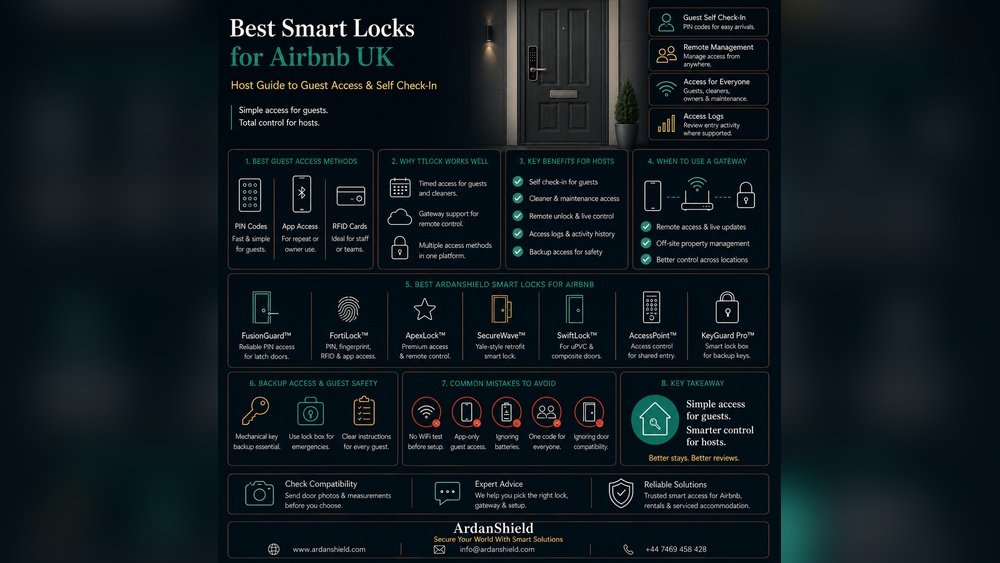
Are you an Airbnb host? Do you want to make your hosting easier and safer? A smart lock with remote access can help you. It lets you control the door from anywhere. You can give guests easy entry without meeting them. This article will help you find the best smart lock for Airbnb hosts with remote access.
Why Choose a Smart Lock for Airbnb?
Smart locks offer many benefits for Airbnb hosts. Here are some reasons why you should consider one:
- Remote control: You can lock or unlock the door from your phone.
- Guest codes: Give guests a unique code for their stay.
- No keys: No need to worry about lost or copied keys.
- Security: Many smart locks have strong security features.
- Easy check-in: Guests can enter anytime without waiting for you.
What to Look for in a Smart Lock for Airbnb
Not all smart locks are the same. When choosing one, think about these features:
| Feature | Why It Matters |
|---|---|
| Remote Access | Allows you to control the lock from anywhere using your phone. |
| Guest Codes | Creates unique entry codes for each guest or stay. |
| Easy Installation | Simple setup saves time and effort. |
| Battery Life | Long battery life means less frequent changes. |
| Compatibility | Works well with your door and home system. |
| Security Features | Protects your property and guest information. |
| App Usability | The app should be easy to use for hosts and guests. |
Top Smart Locks for Airbnb Hosts
Here are some smart locks popular with Airbnb hosts. Each has remote access and good features.
1. August Wi-fi Smart Lock
This lock is simple to install. It fits on your existing deadbolt. You don’t need to replace your lock. The August app lets you create guest codes easily. You can see who enters and when. It works with Alexa, Google Assistant, and Apple HomeKit.
- Remote lock/unlock from phone
- Auto-lock and unlock feature
- Easy to share temporary access
- Good battery life (about 3-6 months)
2. Schlage Encode Smart Wifi Deadbolt
This lock connects directly to Wi-Fi. No extra hub is needed. You can control it from anywhere. The keypad lets guests enter with codes. It has built-in alarm technology. It works with Alexa and Google Assistant.
- Strong built-in alarm for security
- Up to 100 unique codes
- Simple installation
- Long battery life (9V backup available)
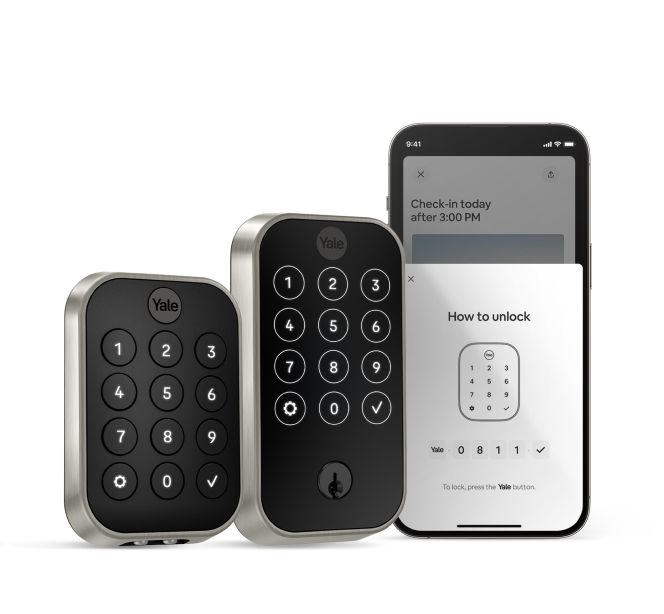
3. Yale Assure Lock Sl With Wi-fi
This sleek lock has a touchscreen keypad. It connects to Wi-Fi using a Yale hub. You can control access remotely. The app lets you create and delete codes anytime. It supports Alexa, Google Assistant, and Apple HomeKit.
- No keyhole, so it’s pick-resistant
- Easy guest access management
- Strong security features
- Good battery life (up to 1 year)
4. Ultraloq U-bolt Pro Smart Lock
This lock offers many ways to open the door. You can use a code, fingerprint, or smartphone. It has remote access with the Ultraloq app. The lock is weatherproof and strong. It works with Alexa and Google Assistant.
- Fingerprint sensor for fast entry
- Code sharing with guests
- Built-in alarm system
- Long battery life (6-12 months)
5. Kwikset Halo Wi-fi Smart Lock
The Kwikset Halo connects directly to Wi-Fi. It allows remote control and monitoring. You can create up to 250 access codes. It has SecureScreen technology to prevent code theft. It works with Alexa and Google Assistant.
- SecureScreen for code privacy
- Easy to program guest codes
- Simple installation
- Good battery life

Credit: www.guesty.com
How to Choose the Right Smart Lock
Choosing depends on your needs. Think about these points before buying:
- Your door type: Make sure the lock fits your door.
- Remote access: Choose a lock that connects to Wi-Fi or has a hub.
- Guest management: Look for easy code creation and deletion.
- Security: Check if the lock has alarms and strong encryption.
- Integration: See if it works with your smart home devices.
- Price: Find a lock that fits your budget but has good features.
- Reviews: Read what other hosts say about the lock.
Credit: shopyalehome.com
Tips for Using a Smart Lock on Airbnb
Once you have a smart lock, use it wisely. Here are some tips:
- Always change codes between guests.
- Set temporary codes that expire automatically.
- Check lock activity regularly for unusual entry.
- Keep backup keys just in case.
- Teach guests how to use the lock before arrival.
- Keep the lock’s battery charged or replace batteries on time.
Frequently Asked Questions
What Is A Smart Lock With Remote Access?
A smart lock with remote access lets you control your door from anywhere. Use your phone to lock or unlock your Airbnb easily.
How Does Remote Access Benefit Airbnb Hosts?
Remote access saves time by letting hosts manage keys remotely. It also improves guest check-in without physical key exchanges.
Are Smart Locks Secure For Airbnb Properties?
Yes, most smart locks use strong encryption to protect your home. They also provide activity logs to track who enters.
Can Guests Get Temporary Access Codes?
Many smart locks allow hosts to create temporary codes. These codes expire after the guest’s stay, ensuring safety.
Conclusion
Smart locks with remote access make Airbnb hosting easier and safer. You can control who enters your property from anywhere. Many smart locks offer great features like guest codes, alarms, and smart home integration. August Wi-Fi, Schlage Encode, Yale Assure, Ultraloq U-Bolt Pro, and Kwikset Halo are great choices.
Remember to pick a lock that fits your door and needs. Use it carefully to protect your home and guests. A good smart lock can save you time and give peace of mind.