
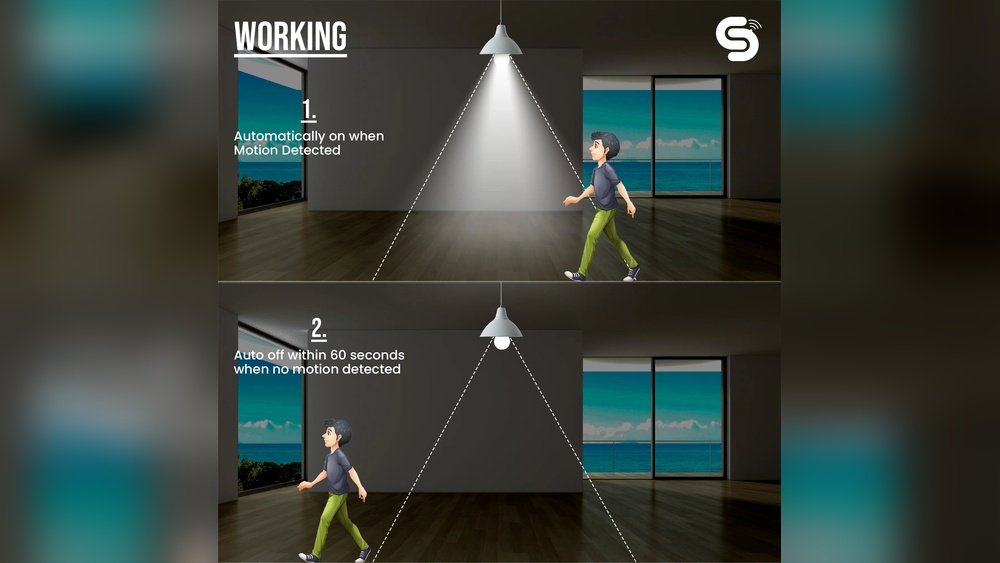
Lighting is important in every home. But sometimes, we forget to turn off lights. This wastes energy and raises bills. Automating lighting can help a lot. One smart way is to use occupancy sensors. These sensors know when someone is in the room. Then, they turn lights on or off automatically. It saves energy and makes life easier.
What Are Occupancy Sensors?
Occupancy sensors are small devices. They detect if a room is occupied. They use different methods to sense people. The most common types are:
- Motion Sensors: They detect movement in a room.
- Infrared Sensors: They sense body heat.
- Ultrasonic Sensors: They use sound waves to detect motion.
When the sensor detects someone, it sends a signal. This signal can turn lights on. When no one is in the room, lights turn off after some time.
Why Automate Lighting with Occupancy Sensors?
There are many reasons to use occupancy sensors for lighting.
- Save Energy: Lights turn off when no one is in the room.
- Convenience: No need to find light switches in the dark.
- Safety: Lights come on automatically in dark areas.
- Longer Bulb Life: Lights stay off more, so bulbs last longer.
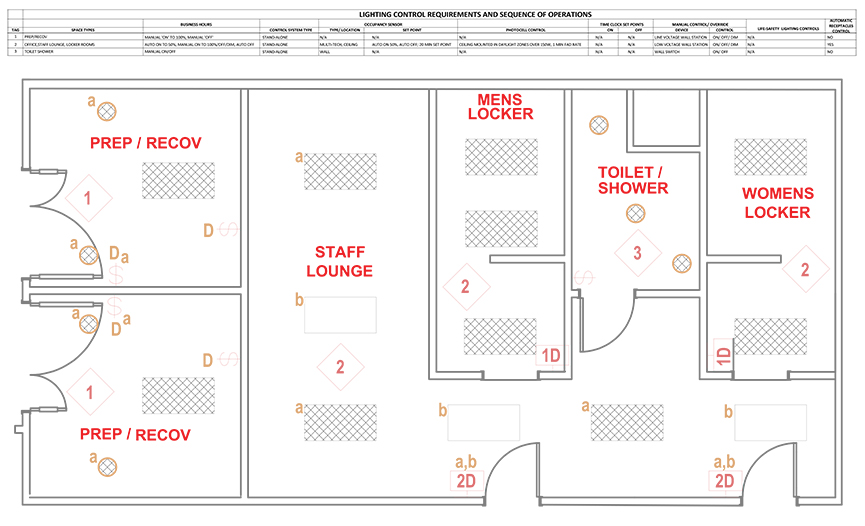
Credit: www.csemag.com
What You Need to Automate Home Lighting
To set up automatic lighting, you need a few things:
- Occupancy Sensors: Choose sensors that fit your rooms.
- Smart Light Switches or Bulbs: These respond to sensor signals.
- Controller or Hub: It connects sensors and lights (optional).
- Power Source: For sensors and smart switches.
Step 1: Choose the Right Sensor
First, decide which sensor to use. Motion sensors are common and easy to install. Infrared sensors are good for detecting body heat. Ultrasonic sensors can sense motion even when you do not move much.
Think about your room size and lighting needs. For hallways, a simple motion sensor works well. For living rooms, you might want sensors with better range.
Step 2: Pick Compatible Smart Lights
Next, choose smart bulbs or switches. Bulbs are easy to install. You just screw them in. Switches replace your existing wall switches. They control all lights on that circuit.
Make sure your smart lights can connect with your sensors or hub. Some work with Wi-Fi. Others use Bluetooth or Zigbee.
Step 3: Decide on a Control System
You can control sensors and lights in two ways:
- Direct Connection: Sensors directly control the light switch.
- Smart Hub: A hub connects all devices and manages them.
A hub gives more control. You can set schedules and adjust settings from an app. But direct connection is simpler and cheaper.
Step 4: Install the Sensors
Find the best spot to install sensors. Usually, this is the entrance or center of a room. Make sure the sensor can “see” the whole room.
Follow the instructions carefully. Most sensors need to be mounted on the ceiling or wall. Use screws or adhesive tape as needed.
Test the sensor by walking in the room. The light should turn on quickly.
Step 5: Connect Sensors to Lights
If your sensors connect directly to switches, wire them carefully. Turn off power before starting.
If you use a hub, connect all devices through its app. Follow the app steps to pair sensors and lights.
Set how long lights stay on after no movement is detected. Common times are 1 to 5 minutes.
Step 6: Test Your System
After installation, test your lighting system. Walk into the room and see if lights turn on.
Leave the room and check if lights turn off after the set time. Adjust settings if needed.
Make sure the system works well in day and night conditions.
Tips for Better Automation
- Avoid False Triggers: Keep sensors away from windows or heat sources.
- Use Multiple Sensors: Large rooms may need more than one sensor.
- Adjust Sensitivity: Set sensor sensitivity to avoid turning lights on by pets.
- Combine with Other Smart Devices: Use timers or voice control for more comfort.
Common Places to Use Occupancy Sensors
Occupancy sensors work well in many rooms:
| Room | Why Use Sensors Here? |
|---|---|
| Hallways | Lights turn on when you walk through. No need to find switches. |
| Bathrooms | Lights come on quickly. They turn off when room is empty. |
| Closets | Small spaces where lights are often left on by mistake. |
| Garages | Automatically light up when you enter with hands full. |
| Living Rooms | Lights adjust based on movement, saving energy. |
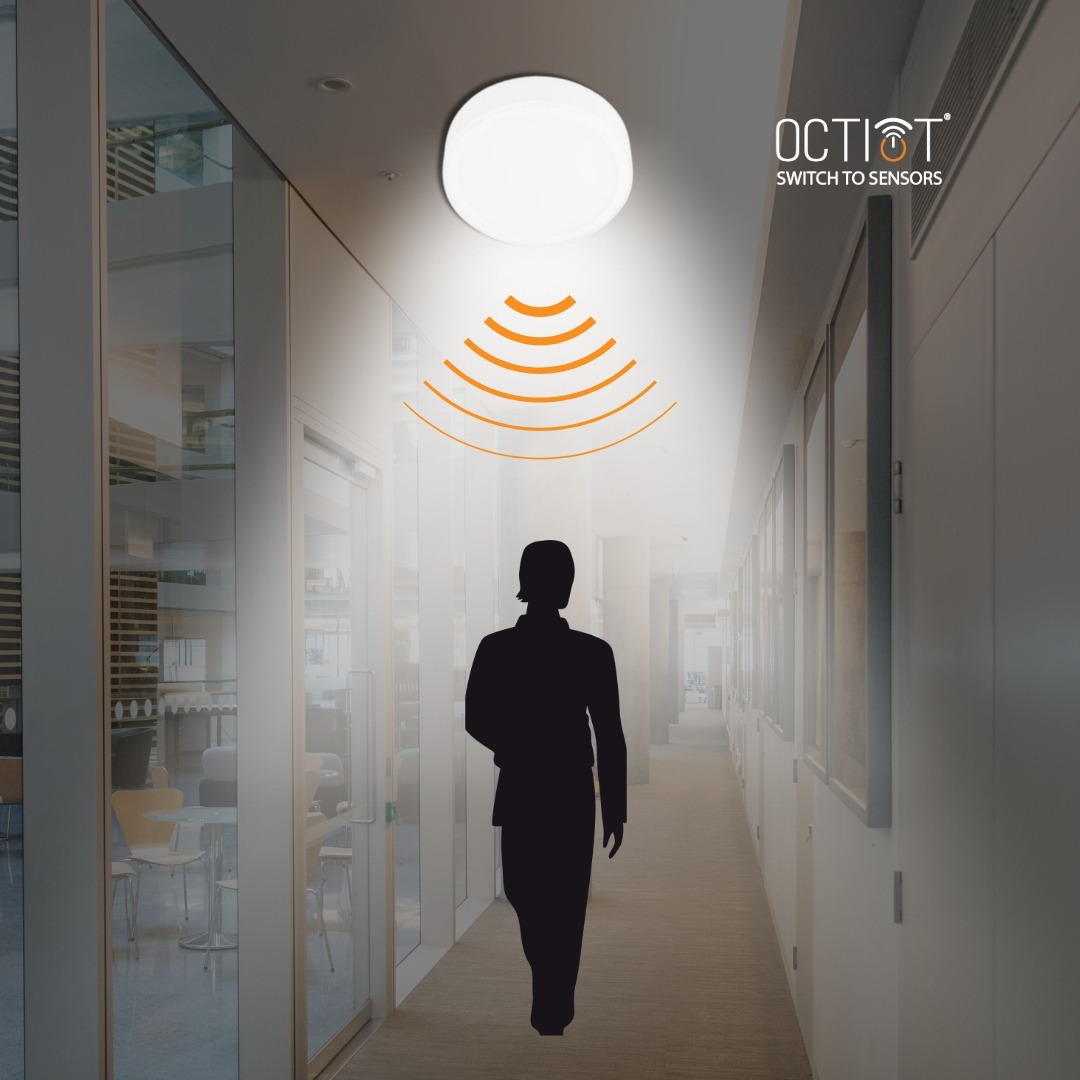
Credit: octiot.com
Benefits of Automating Lighting
Once your system is ready, you will notice several benefits:
- Lower Electricity Bills: Lights are off when not needed.
- Comfort: Lights turn on as you enter rooms.
- Safety: No walking in the dark.
- Eco-Friendly: Save energy and help the planet.
What to Watch Out For
There are a few things to keep in mind:
- Sensor Range: Check if the sensor covers the whole room.
- Power Supply: Some sensors need batteries; others need wiring.
- Compatibility: Make sure sensors and lights work together.
- Installation Safety: Turn off power when installing electrical parts.
Final Thoughts
Automating your home lighting with occupancy sensors is smart and simple. It saves energy and adds comfort. You do not need to be a tech expert. Just follow the steps and choose the right devices.
Start small. Try sensors in one or two rooms first. See how it works. Then add more rooms if you like it.
With a little effort, your home will be smarter and greener.
Frequently Asked Questions
What Types Of Occupancy Sensors Work Best For Home Lighting?
Passive infrared (PIR) and ultrasonic sensors are common for home lighting. PIR detects body heat, while ultrasonic senses motion through sound waves. Both save energy effectively.
How Do Occupancy Sensors Save Energy In Lighting?
Sensors turn lights off automatically when no one is in the room. This reduces wasted electricity and lowers utility bills. It also extends the life of your bulbs.
Can Occupancy Sensors Detect Pets Or Small Movements?
Most sensors detect heat and motion but may not always sense small pets. Some advanced models have pet immunity features. Check product details for this option.
Is It Hard To Install Occupancy Sensors For Lighting?
Installation is usually simple and can be done DIY with basic tools. Many sensors come with clear instructions and mounting hardware. Professional help is optional but available.