
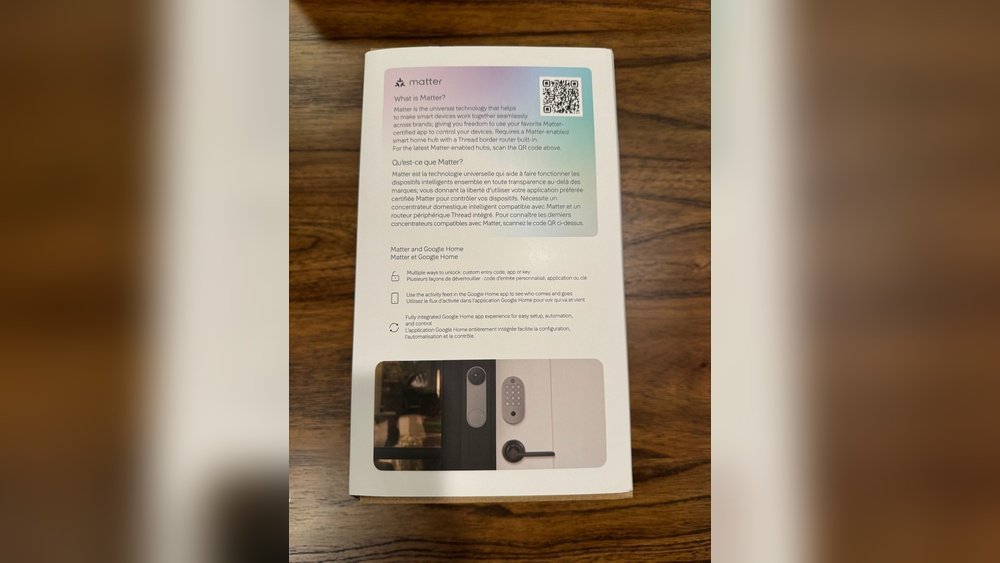
Smart homes are very popular now. Many people buy devices from different brands. But these devices often do not work well together. This can be hard and confusing. How can you make different brands work as one? This guide will help you.
Why Integrate Smart Home Devices?
Different brands make different devices. Some are lights, others are cameras or speakers. When you connect them, your home works better. You can control many things from one place. It saves time and makes life easier.
For example, you can set your lights to turn on when your smart lock opens. Or play music when you enter a room. This needs devices to talk to each other, even if they are from different brands.
Understand Your Devices
First, look at all your smart devices. Write down the brand and type of each. Check how they connect. Many use Wi-Fi, but some use Bluetooth or special hubs.
Common connections are:
- Wi-Fi
- Bluetooth
- Zigbee
- Z-Wave
- Proprietary hubs
Knowing this helps you choose how to link them. Some devices need a hub. Others work directly with apps.
Choose a Smart Home Hub or Platform
A hub is a device or app that links your smart devices. It lets different brands work together. Without a hub, many devices stay separate.
Popular smart home platforms include:
| Platform | Works With | Notes |
|---|---|---|
| Amazon Alexa | Many brands via Wi-Fi | Good for voice control |
| Google Home | Many brands via Wi-Fi | Works well with Android phones |
| Apple HomeKit | Brands with HomeKit support | Best for Apple users |
| Samsung SmartThings | Wi-Fi, Zigbee, Z-Wave devices | Supports many protocols |
Pick a hub or platform that works with most of your devices. You can also combine hubs, but it is more complex.
Check Device Compatibility
Not all devices work with all hubs. Check each device’s app or website. Look for “Works with Alexa,” “Works with Google,” or “HomeKit compatible.”
Devices with these tags connect easily to the right platform. Devices without support may need extra steps.
Use IFTTT to Connect More Devices
IFTTT means “If This Then That.” It is a free online service. It links apps and devices that don’t normally talk to each other.
For example, if your brand A light turns on, then brand B speaker can play music. IFTTT uses simple rules called “applets.”
Steps to use IFTTT:
- Create an account at ifttt.com.
- Connect your smart home accounts to IFTTT.
- Choose or create applets to link devices.
- Turn on the applets you want.
IFTTT works with many brands but may have delays. It is good for basic integration.
Use a Voice Assistant for Easy Control
Voice assistants like Alexa, Google Assistant, and Siri help control many brands. You talk, and they listen.
After setting up your devices on a platform, you can say:
- “Turn on the living room light.”
- “Set the thermostat to 72 degrees.”
- “Lock the front door.”
Voice control works best when devices are on one platform or linked through hubs.
Use a Universal Smart Home App
Some apps let you control many brands in one place. Examples are:
- SmartThings app
- Home Assistant
- Hubitat
These apps may need a hub or special setup. But they give more control and automation options.
Set Up Automations
Automations make smart homes smarter. You can set rules like:
- Turn on lights when you come home.
- Close blinds when the sun sets.
- Send alerts if a camera detects motion.
Most smart home platforms and apps let you create automations. This helps devices work together easily.

Credit: www.shutterstock.com
Use Zigbee and Z-Wave Hubs for Many Devices
Zigbee and Z-Wave are special wireless systems. Many smart devices use them. They work on low power and are good for homes with many devices.
Hubs like SmartThings or Hubitat support Zigbee and Z-Wave. Using these hubs helps connect devices from different brands that use these systems.

Credit: homekitnews.com
Tips for a Smooth Integration
- Update all devices: Keep devices and apps updated.
- Use strong Wi-Fi: Fast and stable internet helps devices communicate.
- Label devices clearly: Name devices in apps for easy control.
- Test each device: Make sure each device works before linking.
- Be patient: Integration can take time and trial.
Common Challenges and How to Fix Them
| Problem | Cause | Solution |
|---|---|---|
| Device not found by hub | Not compatible or not in pairing mode | Check compatibility and reset device |
| Devices don’t respond to voice | Not linked to voice assistant | Link device in voice assistant app |
| Automation does not work | Rule not set correctly | Review and edit automation rules |
| Slow response or delay | Weak Wi-Fi or hub overload | Improve Wi-Fi or reduce connected devices |
Frequently Asked Questions
How Do I Connect Different Smart Home Brands?
Use a compatible smart home hub or app that supports multiple brands. Many hubs work with popular brands to unify control.
Can I Control All Devices With One App?
Yes, some apps like Google Home or Amazon Alexa support many brands. This makes managing devices easier from one place.
What Is The Best Smart Home Hub For Integration?
Hubs like Samsung SmartThings and Hubitat support many devices and brands. They offer wide compatibility and user-friendly setup.
Are Voice Assistants Helpful For Multi-brand Smart Homes?
Voice assistants like Alexa, Google Assistant, and Siri can control various brands. They simplify device management through simple voice commands.
Conclusion
Integrating multiple smart home brands is possible. It needs patience and a plan. Start by knowing your devices and their connections. Pick a hub or platform that fits most devices. Use tools like IFTTT to link more brands. Voice assistants make control easy. Automations help devices work together.
Keep devices updated and use good Wi-Fi. Test each step to find problems early. With time, your smart home will feel like one system. You can control everything easily. And your home becomes more comfortable and safe.