
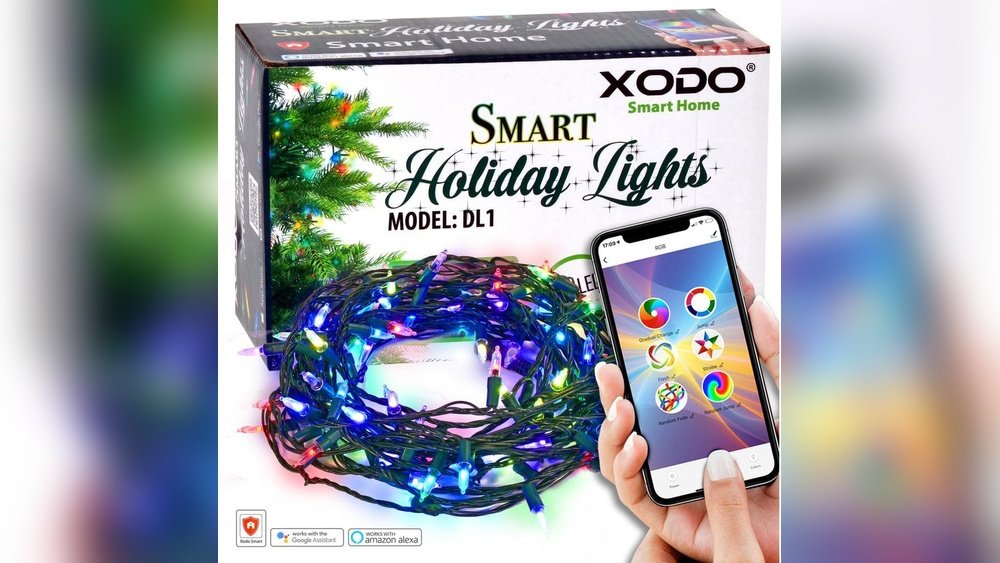
Smart home devices are becoming common in many homes. They help control lights, locks, thermostats, and more. But sometimes, these devices change their status without warning. The light might turn off by itself. Or the thermostat might switch to a different temperature. Why does this happen? Let’s explore the main reasons behind this problem.

Credit: www.amazon.ie
1. Weak or Unstable Wi-Fi Connection
Most smart home devices rely on Wi-Fi to work. If the Wi-Fi signal is weak or unstable, devices may lose connection. When they reconnect, they might show wrong status. For example, a smart bulb might say it is off when it is on. This happens because the device and app are not syncing correctly.
To fix this, try moving your Wi-Fi router closer to your devices. Or use Wi-Fi extenders to boost the signal. Stable Wi-Fi means devices can talk to each other better. This helps avoid random status changes.
2. Software Bugs or Glitches
Smart devices run on software. Sometimes, this software has bugs. Bugs are mistakes in the code. These bugs can cause devices to act strangely. They might change status without a real command. This is common in new devices or after updates.
Always keep your devices updated. Updates fix bugs and improve performance. If problems continue, try restarting the device. A simple restart can clear temporary glitches.
3. Conflicts Between Multiple Apps or Users
Many smart home devices can be controlled by more than one app. They can also be used by several people in the house. Sometimes, these apps or users send different commands at the same time.
For example, one person might turn the light on using their phone. Another person might turn it off from a voice assistant. The device may get confused and show wrong status. This can seem like it is changing randomly.
To avoid this, try to coordinate with others in your home. Also, check which apps have control. Remove any apps you do not use.
4. Power Interruptions or Electrical Issues
Power outages or surges can affect smart home devices. If a device loses power, it may reset. When power comes back, the device may return to a default state. This can look like a random status change.
For example, a smart plug may turn off after power returns. Or a smart lock may unlock by default. To protect devices, use surge protectors. Also, avoid plugging too many devices into one outlet.
5. Interference From Other Wireless Devices
Smart home devices use wireless signals. These signals can be affected by other wireless gadgets. Things like baby monitors, cordless phones, or microwave ovens can cause interference. This interference may disrupt device communication.
When signals get mixed up, devices might change status unexpectedly. To reduce interference, keep smart devices away from other electronics. Also, use devices that operate on different wireless channels.
6. Device Auto-Updates or Scheduled Actions
Some smart devices have auto-update features. They may also have scheduled actions set by the user. For example, a smart thermostat might change temperature at night. Or a light might turn on at sunset.
If you forget these settings, the device may seem to change status randomly. Check your device’s app for any schedules or routines. Adjust or delete any you do not want.
7. Cloud Service or Server Problems
Many smart devices connect to cloud servers to work. If the server has problems, devices may act strangely. They might not update status correctly or may reset.
Unfortunately, this is not something users can fix. It usually gets better after some time. You can check the device maker’s website for status updates.
8. Incorrect Device Setup or Pairing
If a device is not set up properly, it may not work as expected. Wrong pairing or configuration can cause status errors. For example, a device might connect to the wrong network or hub.
Follow the setup instructions carefully. Use the official app and guides. If needed, reset the device and try again.
9. Battery Issues in Wireless Devices
Some smart home devices run on batteries. When battery power is low, devices may behave oddly. They might send wrong signals or disconnect often.
Check your device battery regularly. Replace batteries when needed. This helps keep devices working well and prevents random changes.
Summary Table: Common Reasons for Random Status Changes
| Reason | Description | How to Fix |
|---|---|---|
| Weak Wi-Fi | Devices lose connection or sync poorly. | Improve Wi-Fi signal with extenders or closer router. |
| Software Bugs | Errors in device code cause strange behavior. | Update software and restart devices. |
| Multiple Users/Apps | Conflicting commands from different controls. | Coordinate users and limit app controls. |
| Power Issues | Power loss causes device resets. | Use surge protectors and avoid overloads. |
| Wireless Interference | Other devices disrupt signals. | Keep devices apart and change channels. |
| Auto-Updates/Schedules | Pre-set actions cause status changes. | Check and manage schedules in apps. |
| Cloud Server Issues | Server problems affect device status. | Wait or check for updates online. |
| Setup Errors | Wrong pairing causes device confusion. | Follow instructions and reset if needed. |
| Low Battery | Weak power causes erratic signals. | Replace batteries regularly. |
Tips to Keep Your Smart Home Devices Stable
- Keep Wi-Fi strong and stable.
- Update device software often.
- Limit who controls the devices.
- Use surge protectors to avoid power issues.
- Place devices away from other electronics.
- Review and adjust scheduled actions.
- Check battery levels regularly.
- Follow setup guides carefully.

Credit: link.springer.com
Frequently Asked Questions
Why Do Smart Home Devices Change Status Randomly?
Smart home devices may change status due to poor Wi-Fi signals or software glitches. Power interruptions can also cause random status changes.
Can Outdated Firmware Cause Status Changes In Smart Devices?
Yes, outdated firmware can lead to unexpected device behavior. Regular updates fix bugs and improve device stability.
Does Wi-fi Interference Affect Smart Device Status?
Yes, interference from other devices can disrupt Wi-Fi signals. This can cause smart devices to lose connection and change status.
How Do Power Fluctuations Impact Smart Home Devices?
Power fluctuations can reset devices or cause erratic behavior. Using a stable power source helps prevent random status changes.
Conclusion
Smart home devices can sometimes change status by themselves. This can be confusing. Most problems come from weak Wi-Fi, software bugs, or user settings. Power issues and interference also cause trouble. Fixing these is often simple. Make sure your devices are updated and connected well. Check settings and batteries too. With care, your smart home devices will work smoothly. No more surprise status changes.