
As an Amazon Associate, we earn from qualifying purchases. This post contains affiliate links – if you buy through them, we may earn a commission at no extra cost to you.
Finding the best smart dimmer switches without neutral wire depends on how you want to manage your home. These devices differ mainly in their connection requirements, such as whether they need a dedicated hub for stable performance or if they work directly over your existing home Wi-Fi network.
Best overall: Lutron Caseta Smart Dimmer offers the most reliable connection through its dedicated hub, ensuring your lights respond instantly every time. Best for simple setups: GE CYNC Smart Dimmer works directly with your Wi-Fi, making it a straightforward choice for those avoiding extra hardware. Best for ecosystem variety: Leviton Decora Smart Dimmer integrates with many smart home platforms and offers advanced dimming settings for various bulb types.
This guide is for anyone looking to upgrade their home lighting without rewiring their electrical boxes.
How We Picked
To earn a spot, each product had to clearly state its wiring requirements, compatibility with voice assistants, and whether it needed an external hub. We removed any models that lacked clear installation instructions or failed to specify their light bulb compatibility.
| Best Choice | |||
| Preview |  |  |  |
|---|---|---|---|
| Product | Lutron Caseta Smart Dimmer | GE CYNC Smart Dimmer | Leviton Decora Smart Dimmer |
| Brand | Lutron | Cync | Leviton |
| Best for | Best Overall | Easiest App Integration | Most Reliable Performance |
| The listing says | Controls multiple lights or fixtures Compatible with Alexa, HomeKit, Google Home, Ring, Sonos | Controls bulbs via switch or CYNC App Set schedules and remote light control | No neutral wire required Requires LINE, LOAD, and GROUND connection |
| More information | Price on Amazon | Price on Amazon | Price on Amazon |
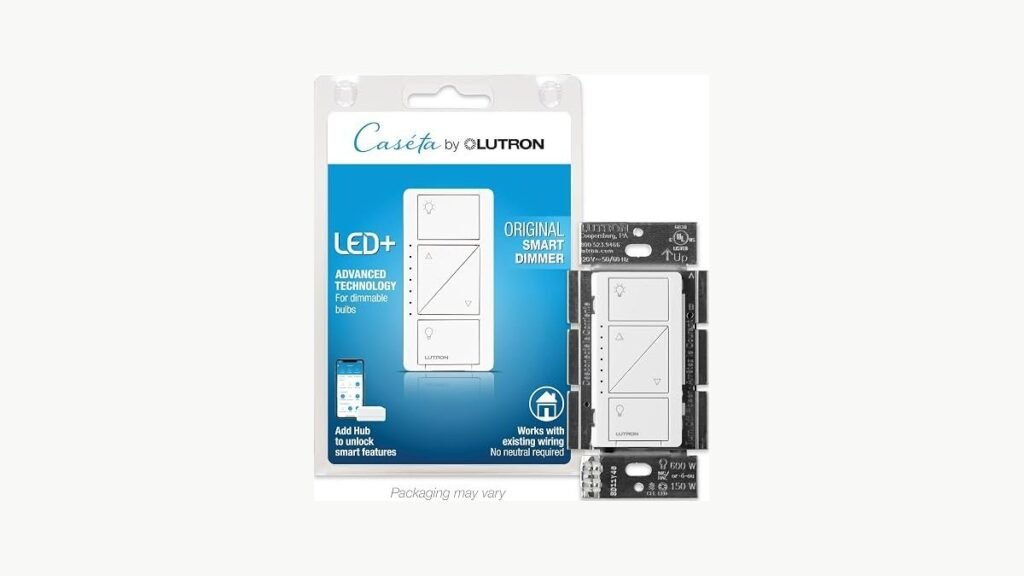
1. Lutron Caseta Smart Dimmer Switch (Smart Hub Required)
Best for: Homeowners wanting a stable, hub-based lighting system.
The Lutron Caseta Smart Dimmer stands out by using a dedicated Smart Hub, which keeps your lighting commands off your main Wi-Fi network. It’s a great choice if you prioritize speed and stability over simplicity.
Installation is designed to be quick, often taking as little as 15 minutes, even for those who aren’t experts. Because it doesn’t require a neutral wire, it fits into most older electrical boxes without hassle. If you want to add a switch to a hallway or a room without running new wires, you can add a Pico remote to create a multi-location setup. This product isn’t for users who want to avoid buying or installing a separate hub.
Pros
- No neutral wire required for installation.
- Works without relying on home Wi-Fi.
- Supports wireless 3-way switch setups easily.
Cons
- Requires a Lutron Smart Hub.
- Remote control sold separately.
2. GE CYNC Smart Dimmer Light Switch
Best for: Users who want a hub-free smart home experience.
The GE CYNC Smart Dimmer connects directly to your 2.4GHz Wi-Fi, which removes the need for a separate hub or bridge. This makes the setup process feel much simpler for beginners, as you only need to install the switch and connect it through the app. You can control your lights from anywhere, provided you have a stable internet connection.
This switch includes features like scheduling and scene creation, helping you manage your energy use by ensuring lights are off when you’re away. Because this switch requires a ground wire and has a 15-watt minimum load, you should check your bulbs before installing. The GE CYNC Smart Dimmer is designed for use in homes built prior to the 1980s.
Pros
- No hub or bridge required.
- Simple app-based scheduling and scenes.
- Direct voice control via Alexa and Google.
Cons
- Requires 2.4GHz Wi-Fi connection.
- Needs a 15-watt minimum load.
3. Leviton No-Neutral Decora Smart Dimmer Switch
Best for: People needing granular control over light levels.
The Leviton Decora Smart Dimmer offers detailed customization through the My Leviton app, allowing you to set specific fade rates and preset light levels. It supports a wide variety of lighting, including LED, CFL, and incandescent bulbs. This level of control is helpful if you have specific dimming needs for different rooms.
This switch requires the MLWSB Decora Smart Wi-Fi Bridge to function, which then enables connection with major smart home platforms like Apple Home and Sonos. It supports wire-free 3-way control when paired with an optional companion device. This product isn’t for those who want a “plug-and-play” solution that doesn’t involve managing a bridge or additional companion hardware.
Pros
- Highly compatible with many smart platforms.
- Supports diverse light bulb and fixture types.
- Allows for custom preset dimming levels.
Cons
- Requires a separate Wi-Fi bridge.
- Needs specific wiring connections.
How to Choose in Sixty Seconds
Does my home wiring matter?
Yes, you must confirm your wallbox has a ground wire, as many no-neutral switches still require one for safety and power. Always check the Underwriters Laboratories safety standards for electrical equipment to ensure your specific wallbox setup is compatible with the switch you choose.
Is a hub really necessary?
Hubs provide a dedicated signal path that’s often more stable than standard Wi-Fi, especially if you have many devices. If you want a “set it and forget it” system, a hub is usually the better choice for reliability.
Can I use my old bulbs?
Most smart dimmers work with existing dimmable LEDs or incandescents, but you must check the minimum wattage requirements. Some switches will flicker or fail to turn on if your bulbs don’t meet the minimum power draw specified by the manufacturer.
Frequently Asked Questions
Does the switch work with non-dimmable bulbs?
Some models, like the Leviton Decora Smart Dimmer, allow you to toggle non-dimmable bulbs on and off through their app. The listing doesn’t mention the consequences of dimming non-dimmable bulbs.
What happens if my Wi-Fi goes down?
Switches that rely on Wi-Fi, such as the GE CYNC Smart Dimmer, will lose smart features like app control and scheduling if the internet drops. Hub-based systems like the Lutron Caseta may continue to function locally depending on their specific architecture.
What is the most common installation mistake?
The most common error is failing to identify the line and load wires correctly in the wallbox. Always follow the manufacturer’s specific wiring diagrams closely, as connecting the wrong wires can prevent the switch from powering on or cause damage.
Is the simplest switch always enough?
If you only need basic on-off and dimming functions, a simpler Wi-Fi switch is often sufficient for your needs. Only move to a hub-based system if you plan on adding many more smart devices or require a more stable network.
Closing
The Lutron Caseta Smart Dimmer remains our top choice for its stability, while the GE CYNC Smart Dimmer is the best pick for a simple, hub-free setup. Start by checking your wallbox wiring to see which model fits your home.