

Choosing the right smart switch for an older home depends on your existing wiring and automation setup. Since many older homes lack a neutral wire, you must decide between hub-based systems or Wi-Fi connectivity, and whether you need dimming or simple on-off control. The best options often come down to the Lutron Caseta Smart Dimmer or the Aqara Smart Light Switch.
As an Amazon Associate, we earn from qualifying purchases. This post contains affiliate links – if you buy through them, we may earn a commission at no extra cost to you.
| Best Choice | |||
| Preview |  | 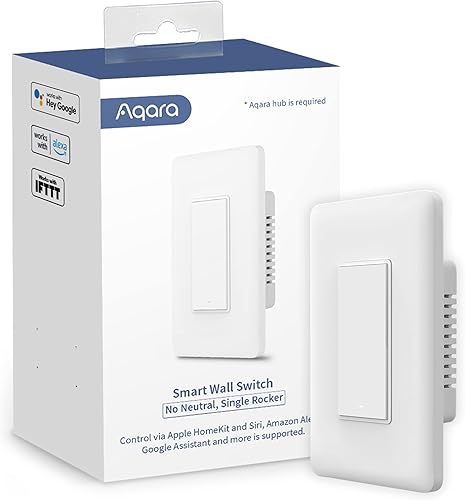 |  |
|---|---|---|---|
| Product | Lutron Caseta Smart Dimmer | Aqara Smart Light Switch | Leviton Decora No-Neutral Kit |
| Brand | Lutron | Aqara | Leviton |
| Best for | Best for Homes Without Neutral Wire | Best Hub-Based No-Neutral Option | Best Retrofit Kit |
| The listing says | Controls multiple lights or fixtures Compatible with Alexa, HomeKit, Google, Ring, Sonos | Aqara Hub required Remote control via smartphone | No neutral wire required Includes dimmer and Wi-Fi bridge |
| More information | Price on Amazon | Price on Amazon | Price on Amazon |
1. Lutron Caseta Smart Dimmer Switch (Smart Hub Required)
Best for: Someone who wants a reliable, professional-grade system without needing neutral wires.
This switch is a common choice for older homes because it doesn’t require a neutral wire in the wall box. It uses a dedicated hub to keep your connection stable, which helps if your home has many devices competing for Wi-Fi bandwidth. Because it manages multiple bulbs and fixtures, it’s a versatile foundation for a larger smart lighting project.
The installation process is straightforward and typically takes about 15 minutes. You can also add wireless control anywhere in your home using a Pico remote, which is helpful if you want to create a three-way switch setup without pulling new electrical wires through your walls. It isn’t for buyers who want to avoid using a separate hub, as the system relies on it for all smart features.
Good if:
- You want a stable connection that works without Wi-Fi.
- You need to add a switch where no wiring exists.
- You prefer using established smart home platforms like Apple HomeKit.
Skip it if:
- You refuse to use a dedicated smart hub.
- You’re looking for a standalone switch that requires no extra hardware.
2. Aqara Smart Light Switch
Best for: Users who already have an Aqara hub and want a simple, no-neutral solution.
The Aqara switch offers a classic rocker design that fits well with traditional home aesthetics while providing modern smart features. It connects to your existing wiring without needing a neutral wire, making it a practical retrofit for older buildings. The listing doesn’t mention the specific safety materials or automatic power-off mechanisms of the Aqara switch.
You can set schedules and timers through the app to automate your lighting, and it supports voice control through major assistants. It isn’t for anyone who doesn’t want to buy an Aqara hub separately, as the switch won’t function as a smart device without it. The switch is also limited by specific load requirements, so you must check your bulb types before installing.
Good if:
- You want a traditional rocker switch look.
- You need automatic safety shut-off features.
- You’re already using other devices in the Aqara ecosystem.
Skip it if:
- You have no interest in purchasing a separate hub.
- Your light fixture wattage falls outside the supported load limits.
3. Leviton Decora Smart No-Neutral Dimmer & Wi-Fi Bridge Kit
Best for: A first-time buyer who wants an all-in-one kit to start their smart home.
This kit is designed specifically for retrofitting older homes that lack neutral wiring. It includes both the dimmer and a Wi-Fi bridge, so you have everything needed to get started right out of the box. The bridge plugs into a standard wall outlet, which helps bridge the gap between your Wi-Fi network and the dimmer switch.
You can customize your dimming levels, fade rates, and bulb types through the app to match your preferences. It also supports wire-free multi-location control if you purchase additional companion devices. The listing doesn’t mention the specific placement requirements for the Leviton Wi-Fi bridge.
Good if:
- You want a complete starter kit in one package.
- You need full-range dimming with custom settings.
- You want to use Alexa, Google, or Siri for voice control.
Skip it if:
- You have no available wall outlets near your switch for the bridge.
- You prefer a simple switch rather than a full dimming system.
Choosing smart switches for older homes
These products all solve the specific challenge of the “no-neutral” wire found in older houses. They prioritize safety and compatibility with standard bulbs. While they differ in how they connect to your network—either via a proprietary hub or a Wi-Fi bridge—the core function remains the same. If you already have a hub, the choice is usually driven by which ecosystem you prefer to use daily.
Still Not Sure?
How often will I really use the smart features?
If you only need to turn lights on and off occasionally, a simple setup is best. If you plan on complex scheduling, choose the Lutron Caseta Smart Dimmer for reliability.
What do I already own that this has to work with?
Check your current smart home app or hub. If you use Aqara sensors, the Aqara Smart Light Switch is the most logical choice to keep your home devices under one roof.
What am I most likely to regret choosing?
Regret usually comes from needing extra hardware you didn’t expect. If you want to avoid extra hubs or bridges, you might find the Leviton Decora No-Neutral Kit frustrating to set up.
Related guides
Frequently Asked Questions
Do these smart switches require professional electrical help?
Most of these switches are designed for homeowner installation, but you should always follow the National Electrical Code standards for your region if you’re unsure about wiring safety.
Can I use these with LED bulbs?
Yes, these switches are generally compatible with LED bulbs, though you should verify the minimum and maximum load requirements listed for each device to ensure proper dimming performance and avoid flickering.
Will these work if my Wi-Fi goes down?
Systems using a hub like the Lutron Caseta Smart Dimmer often maintain local control even when your internet is down, whereas Wi-Fi-only switches may lose smart functionality during a network outage.
Can I install these in a multi-way switch setup?
Yes, these products offer ways to handle multi-way setups, often using wireless remotes or companion switches, which avoids the need to pull new wiring through the walls of an older home.
The choice depends on your hub preference: Lutron Caseta for a dedicated, stable system, or the Aqara Smart Light Switch for those already in that ecosystem. Check your wiring and start there.
Conclusion
Upgrading your lighting doesn’t have to be a headache, even when you’re working with vintage electrical systems. Before you buy, pop off a wall plate to check for that neutral wire. Once you’ve confirmed your setup, you’ll be ready to enjoy the convenience of a truly modern, connected home.