
Smart homes are becoming more popular every day. Many people now use smart devices like lights, cameras, and thermostats. These devices need to connect to the internet or your home network. To do this, they use something called an IP address. But, there are two main ways to give these devices an IP address: static IP or DHCP. What is the difference? Which one is better for your smart home? Let’s find out.
What Is an IP Address?
An IP address is like a home address. It tells other devices where to send information. Every device on a network has an IP address. Without it, devices cannot talk to each other or to the internet.
There are two types of IP addresses you can use in your home:
- Static IP
- DHCP
What Is Static IP?
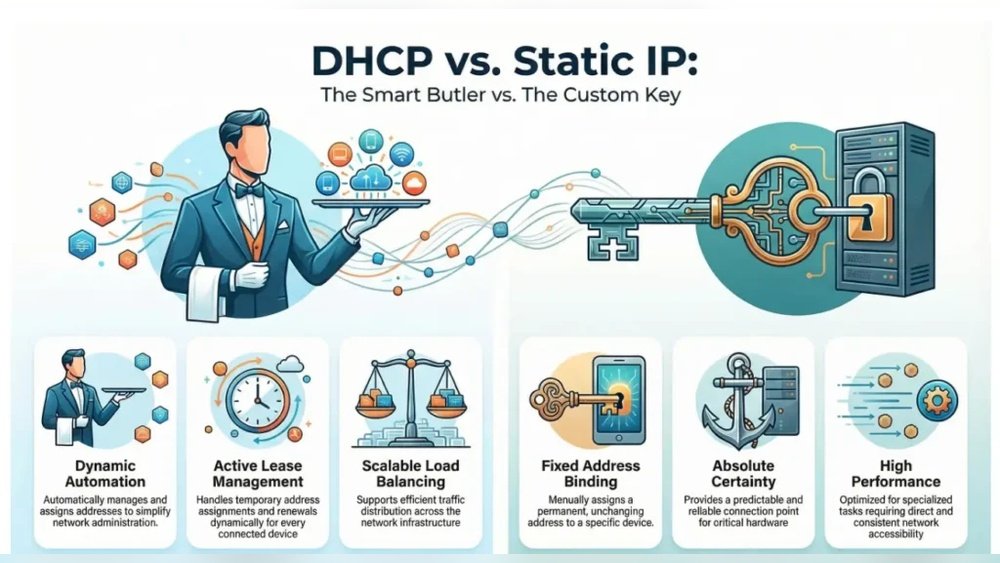
A static IP is a fixed address. It never changes. You assign this address manually to a device. This means you tell the device what its IP address will be, and it stays the same all the time.
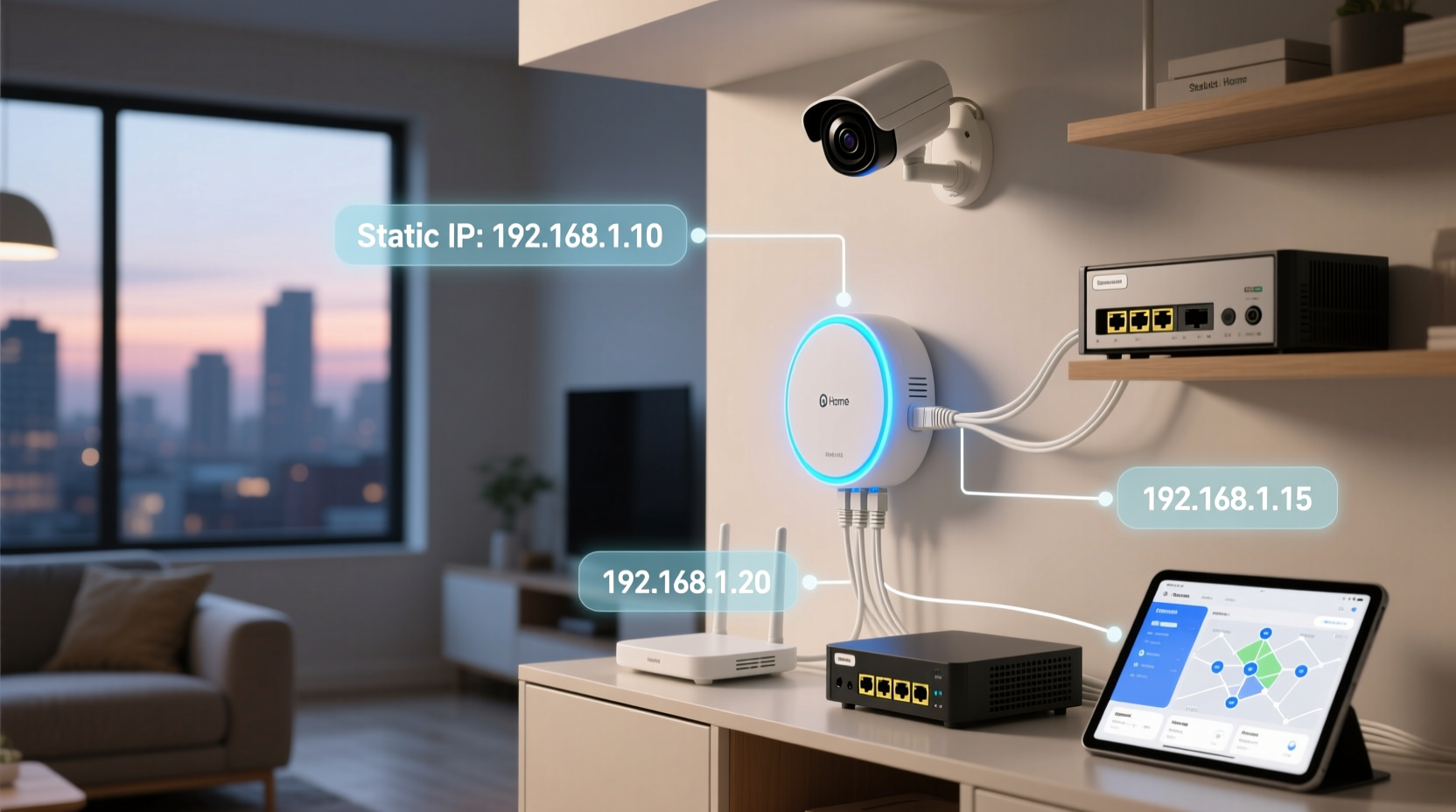
For example, if you give your smart camera a static IP of 192.168.1.10, it will always use that address.
Advantages Of Static Ip
- Easy to find devices: Since the address never changes, you always know where to find your device.
- Better for some devices: Devices like security cameras or servers often work better with static IPs.
- Stable connections: Static IPs can help keep your devices connected without interruptions.
Disadvantages Of Static Ip
- More work: You have to set each device’s IP address manually.
- Risk of mistakes: Giving two devices the same IP can cause problems.
- Harder to manage: If you have many devices, it takes time to assign static IPs to all.
What Is DHCP?
DHCP stands for Dynamic Host Configuration Protocol. It is a way for devices to get an IP address automatically. Your router usually acts as a DHCP server. When a device connects, the router gives it an IP address from a list.
For example, your smart speaker may get IP address 192.168.1.20 one day, and a different one the next.
Advantages Of Dhcp
- Easy to use: Devices get IP addresses automatically without manual setup.
- Less chance of errors: The router manages the IP addresses, so no duplicates happen.
- Good for many devices: If you have many smart devices, DHCP makes management easier.
Disadvantages Of Dhcp
- IP addresses may change: Devices can get new IPs, which may cause issues.
- Harder to locate devices: If IPs change often, it can be difficult to find a device’s address.
- Not ideal for some devices: Devices needing fixed IPs, like security cameras, may face problems.
Which Is Better for Smart Home Devices?
The answer depends on your smart home setup and needs.
Use Static Ip If:
- You have devices that need a fixed address.
- You want to access devices remotely, like cameras or smart locks.
- You feel comfortable setting IPs yourself.
- You have a smaller number of smart devices.
Use Dhcp If:
- You want easy setup without manual work.
- You have many smart devices that change often.
- You want your router to handle all IP assignments.
- You do not need fixed IPs for your devices.
How to Set Static IP for Smart Home Devices
Setting a static IP usually means two steps:
- Choose an IP address in your router’s range.
- Assign this address to the device in its settings.
For example, if your router uses 192.168.1.x addresses, pick one like 192.168.1.100 for your device.
Most smart devices allow you to change network settings in their app or web interface. Look for “IP settings” or “network settings.”
How to Use DHCP with Smart Home Devices
DHCP is usually on by default. Your router gives IP addresses automatically.
When you connect a new device, it asks the router for an IP. The router gives it one from its available pool.
You do not need to do anything special. Just connect the device to your Wi-Fi, and DHCP works.
Can You Use Both Static IP and DHCP Together?
Yes, many people do this. You can set static IPs for important devices. For example, cameras and smart locks. Then, let other devices use DHCP. This way, you get the best of both worlds.
Credit: lifetips.alibaba.com
Tips for Managing IP Addresses in Smart Homes
- Keep a list: Write down your static IP addresses and device names.
- Use IP address reservation: Some routers allow you to reserve IPs for devices. This works like static IP but is easier to manage.
- Check device manuals: Follow device instructions for IP setup.
- Restart devices: Sometimes, devices need a restart to get a new IP.
- Update router firmware: This keeps your network secure and stable.
Summary Table: Static IP vs DHCP for Smart Home Devices
| Feature | Static IP | DHCP |
|---|---|---|
| IP Address | Fixed and manual | Automatic and dynamic |
| Setup | Manual setup needed | Automatic setup |
| Device Management | Harder with many devices | Easier with many devices |
| Best for | Devices needing fixed IPs | Devices that can change IPs |
| Risk of IP conflict | Higher if manual setup wrong | Low due to router management |
Credit: www.bgr.com
Final Thoughts
Choosing between static IP and DHCP depends on your smart home needs. If you want simple setup, DHCP is best. If you want stable and fixed addresses, use static IP. Many smart homes use both methods. This helps keep things working smoothly.
Understanding these options helps you create a better smart home. It can make your devices easier to use and more reliable. So, check your router and device settings. Try what works best for you. Your smart home will thank you.
Frequently Asked Questions
What Is The Difference Between Static Ip And Dhcp?
Static IP assigns a fixed address to a device. DHCP gives devices automatic, temporary addresses from a pool. This helps manage smart home devices easily.
Which Is Better For Smart Home Devices: Static Ip Or Dhcp?
Static IP is better for devices needing constant access. DHCP suits devices that connect and disconnect often. Choose based on your device use.
How Does Static Ip Improve Smart Home Device Control?
Static IP keeps the device address the same. This makes it easier to find and manage devices. It helps with remote access and automation.
Can Dhcp Cause Problems With Smart Home Devices?
DHCP can change device addresses, causing connection issues. Some smart devices may lose communication. Static IP avoids this by keeping addresses fixed.