
Have you heard about smart homes? They are homes with devices that you can control using your phone or voice. Setting up a smart home can make your life easier and more comfortable. But if you are new to this, it might feel confusing. This guide will help you start your smart home step by step.
What is a Smart Home?
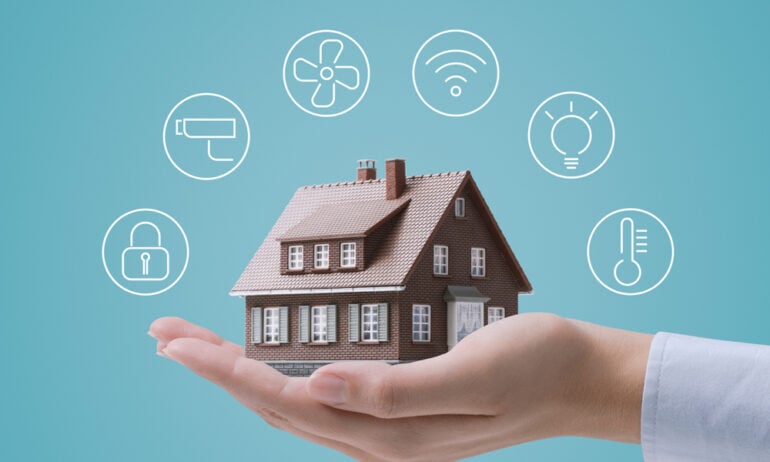
A smart home has devices connected to the internet. You can control these devices from anywhere. For example, you can turn off lights when you are not at home. Or set the temperature before you arrive. These devices talk to each other and work together.
Why Set Up a Smart Home?
- Save energy by controlling lights and heating.
- Make your home safer with cameras and alarms.
- Control your home easily with your phone or voice.
- Feel comfortable with automatic settings for lights and temperature.
What Do You Need to Start?
Before buying anything, you need to know what you want. Think about these questions:
- Do you want to control lights?
- Do you want better security?
- Do you want to control the temperature?
- Do you want to listen to music easily?
Answering these will help you choose the right devices.
Step 1: Check Your Internet Connection
A smart home needs good Wi-Fi. Most devices work with Wi-Fi. If your internet is slow, devices may not work well. Make sure your home has strong Wi-Fi in all rooms.
You can buy Wi-Fi extenders to make the signal stronger. This helps devices in far rooms.
Credit: neolux.com.pk
Step 2: Choose a Smart Home Hub
A hub is like the brain of your smart home. It connects all your devices. Some devices work alone, but many need a hub. Popular hubs are Amazon Alexa, Google Home, and Apple HomeKit.
Choose one hub and try to use devices that work with it. This way, your devices can talk to each other easily.
Step 3: Start with Simple Devices
Do not buy many devices at once. Start small. Here are easy devices to begin with:
- Smart bulbs: Control lights with your phone or voice.
- Smart plugs: Turn regular devices on or off remotely.
- Smart speakers: Play music and control other devices by voice.
These are easy to install and use.
Step 4: Install Devices One by One
Install one device at a time. Follow the instructions carefully. Usually, you will need to:
- Plug in the device or replace a bulb.
- Download the device app on your phone.
- Connect the device to your Wi-Fi.
- Add the device to your smart home hub app.
Test the device to make sure it works. Then add the next one.
Step 5: Use Voice Commands
Once your devices are connected, you can use voice commands. Say things like:
- “Turn on the living room lights.”
- “Set the temperature to 70 degrees.”
- “Play music in the kitchen.”
This makes using your smart home easy and fast.
Credit: www.hellotech.com
Step 6: Set Automations
Automations let your devices work without you doing anything. For example:
- Turn on lights at sunset.
- Turn off heating when you leave home.
- Play music when you wake up.
You can set automations in your hub app. They help save time and energy.
Step 7: Add More Devices Gradually
After you feel comfortable, add more devices:
- Smart thermostats for better heating control.
- Smart locks for security.
- Security cameras to watch your home.
- Smart sensors for doors and windows.
Each device will add more comfort and safety.
Tips for a Smooth Smart Home Setup
- Choose devices that work with your hub. This avoids problems later.
- Keep your apps updated. Updates fix bugs and add features.
- Use strong passwords for your Wi-Fi and apps. This keeps your home safe.
- Label your devices clearly. It helps when you control many devices.
- Read reviews before buying. It helps to find reliable devices.
Common Problems and How to Fix Them
Sometimes devices stop working or lose connection. Here are simple fixes:
- Restart your Wi-Fi router.
- Unplug and plug the device back in.
- Make sure your phone is on the same Wi-Fi as the device.
- Update the device app.
- Reset the device if needed.
If problems continue, check the device’s help page.
Benefits You Will Enjoy
| Benefit | How It Helps You |
|---|---|
| Energy Savings | Turn off devices when not needed to save money. |
| Security | Watch your home and get alerts if something is wrong. |
| Comfort | Control lights and temperature easily for your comfort. |
| Convenience | Use voice or phone to control your home from anywhere. |
Final Thoughts
Setting up a smart home is easier than it seems. Start with simple devices. Take your time learning how to use them. Good internet and a hub make a big difference. Soon, you will enjoy a home that listens and helps you daily. A smart home saves energy, protects your family, and makes life simple.
Frequently Asked Questions
What Devices Do I Need To Start A Smart Home?
A smart home needs a hub, smart lights, and smart plugs. You can add smart locks or cameras later.
How Do I Connect Smart Devices To Wi-fi?
Most smart devices connect using your home Wi-Fi network. Follow the app instructions for easy setup.
Can I Control Smart Home Devices With My Phone?
Yes, smart home devices are controlled by apps on smartphones. This lets you manage devices from anywhere.
Is A Smart Home Safe From Hackers?
Smart homes are safe if you use strong passwords and update devices. Avoid using default settings.