
Smart homes are becoming very popular. People use smart devices to make life easier. But these devices connect to the internet. That means they can be at risk of hackers. Hackers are people who try to get into your devices without permission. They want to steal your data or cause trouble. So, it is very important to keep your smart home network safe.
What Is a Smart Home Network?
A smart home network is a group of devices that connect to the internet. These devices talk to each other and to your phone or computer. Examples are smart lights, smart locks, security cameras, and smart speakers. All these devices use the internet to work. They use your home Wi-Fi network to connect. If the network is not safe, hackers can get inside.
Why Do Hackers Want to Attack Smart Home Networks?
Hackers want to break into smart home networks for many reasons:
- To steal personal information like passwords.
- To watch or listen to you through cameras and microphones.
- To control your devices without permission.
- To use your devices to attack others.
Because of these risks, you must protect your smart home network.

Credit: www.pcmag.com
Steps to Secure Your Smart Home Network
Here are simple steps you can take to protect your smart home from hackers.
1. Change Default Passwords
Many smart devices come with default passwords. These are easy for hackers to guess. Always change these passwords to something strong. Use a mix of letters, numbers, and symbols. Do not use simple words like “password” or “123456”.
2. Use A Strong Wi-fi Password
Your Wi-Fi network needs a strong password too. If your Wi-Fi password is weak, hackers can get in easily. Create a password that is at least 12 characters long. Use a mix of uppercase and lowercase letters, numbers, and symbols.
3. Update Device Software Regularly
Smart devices have software called firmware. This software needs updates to fix security problems. Always check for updates and install them. Updates make your devices safer from new threats.
4. Create A Separate Network For Smart Devices
You can create two Wi-Fi networks at home. One for your computers and phones. Another for your smart devices. This way, if a smart device is hacked, your main devices stay safe.
5. Use Two-factor Authentication
Two-factor authentication adds an extra layer of security. It asks for two forms of ID before you log in. For example, a password and a code sent to your phone. Turn on two-factor authentication if your device supports it.
6. Turn Off Devices When Not In Use
If you do not use a smart device, turn it off. This reduces the chance of hackers using it. For example, turn off smart cameras when you are home and do not need them.
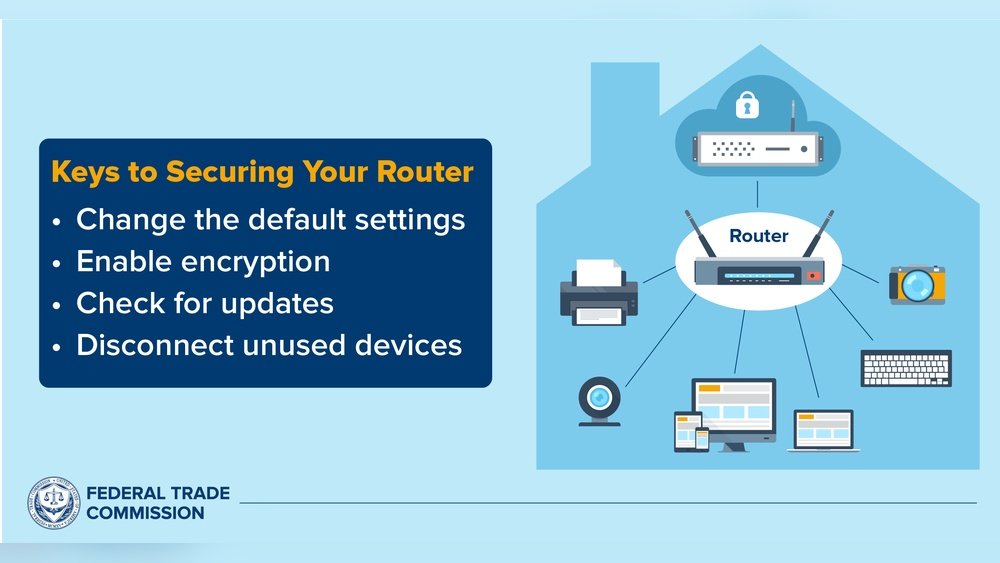
7. Secure Your Router
Your router connects all devices to the internet. It is the most important part of your network. Change the default router username and password. Update your router’s firmware regularly. Disable features you do not need, like remote management.
8. Use A Firewall
A firewall helps block unauthorized access. Many routers have built-in firewalls. Make sure it is turned on. You can also use extra firewall software on your computer.
9. Monitor Your Network
Keep an eye on your network activity. Some routers show you which devices are connected. If you see a device you do not recognize, disconnect it. This can help catch hackers early.
10. Avoid Public Wi-fi For Smart Devices
Do not connect your smart devices to public Wi-Fi networks. Public networks are often not secure. Hackers can easily spy on devices connected there.
Why Is It Important to Secure Your Smart Home?
Smart homes collect a lot of personal data. This includes your daily routines, video, and audio recordings. If hackers get this data, they can harm your privacy. They might steal your identity or money. They can also cause damage by controlling your devices. Securing your smart home keeps you safe and gives peace of mind.

Credit: cias.utsa.edu
Simple Tips to Remember
- Always use strong passwords.
- Keep your devices updated.
- Use separate networks for smart devices.
- Turn off devices when not needed.
- Check your network often for unknown devices.
Frequently Asked Questions
How Do Hackers Access Smart Home Networks?
Hackers often use weak passwords or unsecured Wi-Fi to enter smart home networks. They exploit security flaws in devices to gain control.
What Is The Best Way To Protect Smart Home Wi-fi?
Use a strong, unique password and enable WPA3 encryption on your router. Regularly update the router’s firmware for better security.
Can Smart Home Devices Get Viruses Or Malware?
Yes, smart devices can be infected if they have weak security. Keep devices updated and avoid downloading untrusted apps.
Why Should I Change Default Passwords On Smart Devices?
Default passwords are easy to guess and widely known. Changing them reduces the risk of unauthorized access.
Conclusion
Securing a smart home network is not hard. You only need to follow some easy steps. Change default passwords, use strong Wi-Fi passwords, and update devices. Create separate networks and use two-factor authentication. Protect your router and monitor your network regularly. These actions keep hackers away. Your smart home will be safer and more private.
Take the time now to secure your smart home network. Your safety and privacy are worth it.